2 dormakaba RFID Encoder PK3695 03-19
©
2018 dormakaba USA, Inc. All trademarks and registered trademarks are the property of their respective owners.
Table of Contents
1. System 6000 Encoder Setup ...............................................................3
2. Testing ...................................................................................5
3. Troubleshooting ...........................................................................6
Parts List
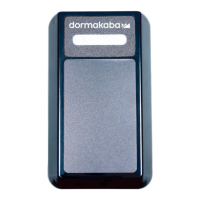
- dormakaba RFID Encoder (P/N: CE74750)
- Ethernet Cable (Optional) (P/N: 71590-10)
- USB A to Micro B USB cable (P/N: 71680)
Prerequisites
Hardware: dormakaba RFID encoder version 1.012 or greater.
Software: System 6000 version 5.6.8 or greater.
Setup: You can use the power over Ethernet (POE) to apply power on your device or use the USB cable
connected to a 5V adapter.
The encoder communicates with a TCP/IP communication protocol.
The following ports must be open in the firewall:
TCP Port 28000 (Server Inbound)
TCP Port 9090 (Server Inbound)


 To Next Page