4 dormakaba RFID Encoder PK3695 03-19
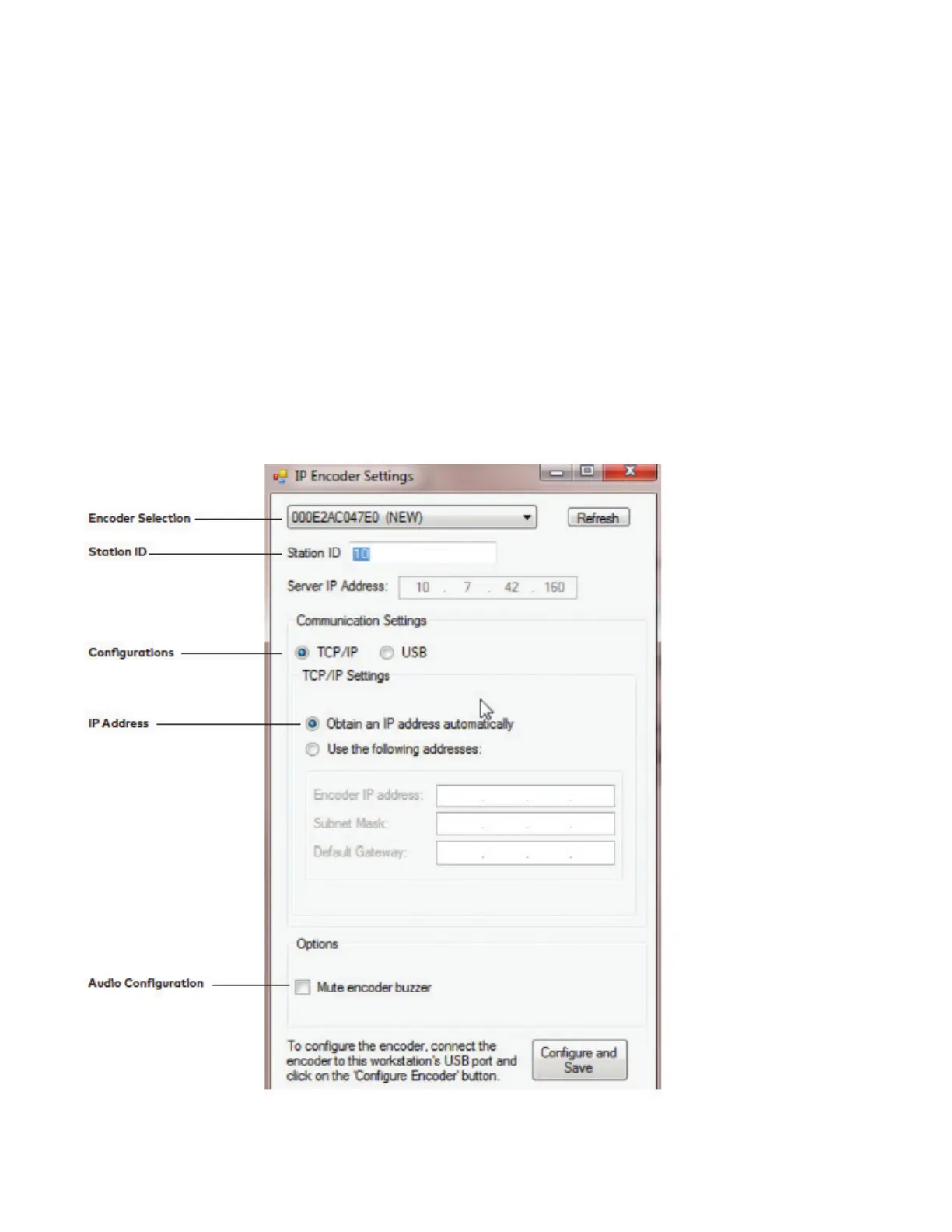
4 - Press the drop-down menu and select the encoder you would like to configure.
(The encoders MAC address should appear).
Enter in a Station ID.
Choose either the TCP/IP configuration or the USB configuration.
Select “Obtain an IP address automatically” for DHCP Configuration.
OR
Enter specific IP configuration for Static IP.
System 6000 Encoder Setup


 To Next Page