English
IMPORTANT!
When a new system software is available, a notification message is sent. Select to start
downloading. The download time may vary depending on Internet connection. We recommend
that you always update your device to the latest software version to get optimal performance
and the latest enhancements. During an update your phone will be temporarily out of service,
even for emergency calls. All contacts, photos, settings, etc. will remain safely stored in the
phone, but we recommend you to regularly backup your phone. Do not interrupt the update
process. See System, p.29 for more information. You need to have a working data connection to
be able to perform the update with the firmware over-the-air (FOTA) service. See Mobile network,
p.20 or Wi-Fi, p.19 on how to activate a data connection.
At the top of the main screen to the right you can see the status symbols, such as network signal
strength, battery level, Bluetooth activity and more.
Descriptions in this document
Descriptions in this document are based on your phone’s setup at the time of purchase. Instructions
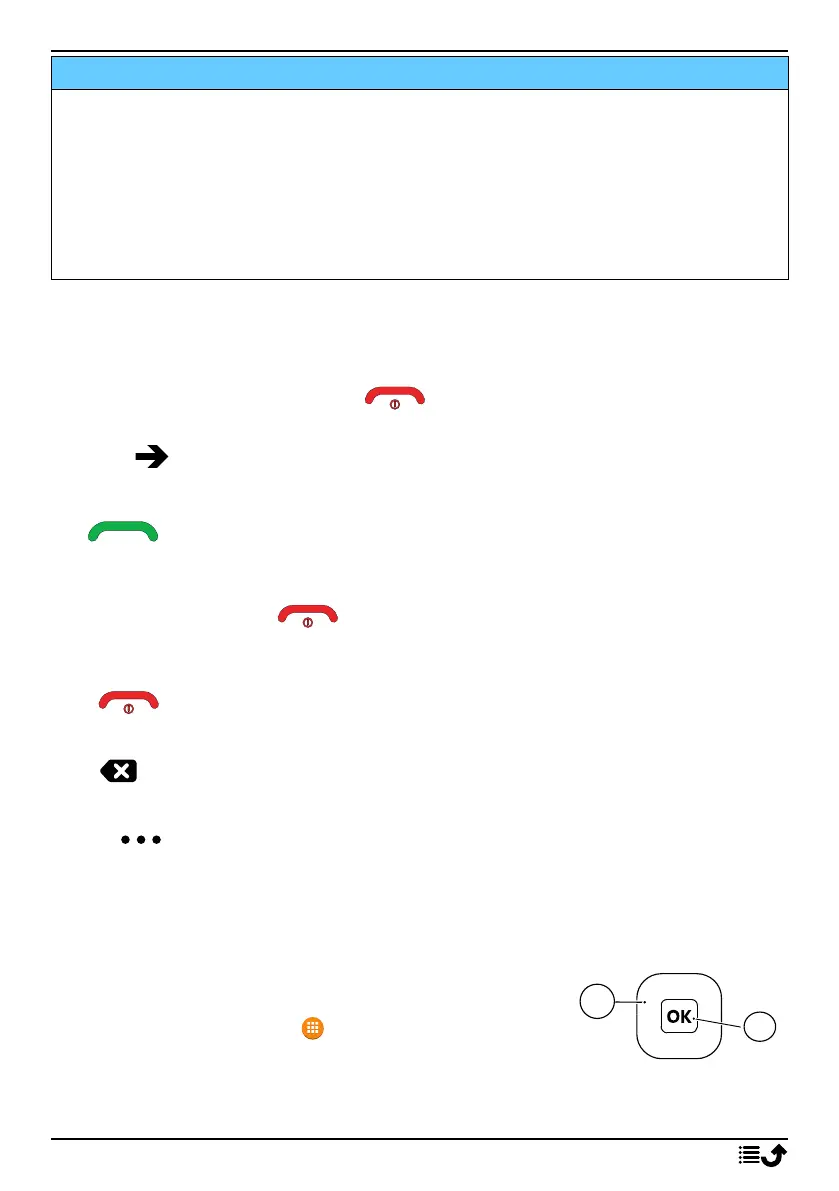
normally start from the start screen. Press to reach the start screen. Some descriptions are
simplified.
The arrow ( ) indicates next action in step-by-step instructions.
Basic phone operations
Call :
• Dial a number or answer incoming call.
• Enter the call log.
End call/Power on and off :
• End calls or return to the start screen.
• Long press to power on or off.
Back :
Return to the previous screen.
Clear :
Press to clear the previous character.
Options :
The options button have multiple functions. In idle mode it will display eventual notifications. In dif-
ferent menus and features it will display available options for that feature. Try to always press this
button to explore more options.
Navigation keys
• (A) Use the Four-way navigation keys to navigate up, down,
left and right.
• (B) Use the OK to open the Menu and to confirm actions.
Standby (idle mode)
When the phone is ready to use, and you have not keyed in any characters, the phone is in standby.
5



 To Next Page