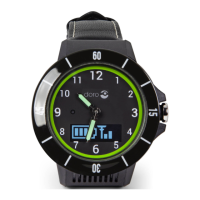
The Doro Watch (model DWO-0420) is a smartwatch designed to connect with a smartphone to track various health and activity data, provide notifications, and offer an emergency assistance function. It is compatible with Android smartphones (version 6.0 or later) and Apple iPhones (iOS version 9 or later), requiring Bluetooth version 4.0 or later for connection. For the Response by Doro assistance button function, a Doro Smartphone (Android 10.0 or later) is optionally required. Users will need a Google account or Apple-ID to download and install the Doro Companion app.
Function Description:
The Doro Watch primarily functions as a health and activity tracker, monitoring steps, distance, calories burned, heart rate, blood oxygen saturation, and sleep data. It also displays notifications from a connected smartphone, provides call alerts, and includes an alarm clock. A key feature is the emergency assistance button, which, when paired with a compatible Doro smartphone, activates the Response by Doro app to alert trusted contacts. For other smartphones, this button can activate a "Find my phone" function. The watch allows users to initiate and track various exercise modes directly from the watch, though starting exercises from the Doro Companion app is recommended for location tracking.
Important Technical Specifications:
- Bluetooth (MHz): 5.0 (2402 - 2480)
- Dimensions: Height: 13 mm, Diameter: 45 mm
- Weight: 45 g (including battery)
- Battery: 3.8 V / 300 mAh Li-Polymer battery
- Display Size: 1.28"
- Charging: 5 V, maximum 2 A
- Charging time: Approximately 2 hours
- Battery life: Approximately 8 days
- Waterproof: Water protected (IP68) – suitable for swimming pools, showers (cold water), and shallow swimming, but not for diving, sea swimming, or saunas.
- Operating ambient temperature: Minimum: 0° C (32°F), Maximum: 60° C (140°F)
Usage Features:
Initial Setup:
- Unboxing: Remove the protection film from the screen.
- Charging: Place the watch in the magnetic charging cradle. For first use, it must be placed in the charging cradle to turn on. The USB charging connector can be plugged into a provided wall charger or a certified USB port (5V/500mA or above, max 5V/2A).
- Install Doro Companion App: Download and install the "Doro Companion" app from Google Play Store or Apple App Store using the provided QR code or by searching.
- App Setup:
- Ensure Bluetooth is activated on your smartphone.
- Start the app, go through the start-up guide, and allow necessary permissions and agreements.
- The app will search for the watch. Ensure the watch display is lit.
- Tap the found watch to pair. If not found, tap "Scan QR code" on the app and scan the QR code on the watch.
- On the watch, tap to confirm the connection.
- Tap "Complete" in the app to finalize the watch-phone connection.
- Select the country of use (cannot be changed later).
- Enter a Nickname and personal information for your profile.
- Allow permissions for optimal performance.
- Tap "Turn on" to send phone notifications to the watch. Select "Doro Companion" and enable "Allow notification."
- Review activity goals, notification settings, and call alerts. Tap "Let's go!" to finalize.
Watch Navigation:
- Menu Button (Upper Button):
- Press to wake the screen.
- Press to access/exit the menu.
- Press and hold to power on/off (for first use, must be in charging cradle to power on).
- Special Function Button (Lower Button):
- Press and hold for 3 seconds to activate the emergency assistance function (Response by Doro on compatible Doro Smartphones).
- Press and hold to activate "Find my phone" on other smartphones.
- Screen Swipes (from home screen):
- Up: Display watch status (connection, battery level).
- Down: View notifications from the phone. Swipe up to see the list, tap to clear, or tap "Clear all notifications?" to clear all.
- Left/Right: View daily activity shortcuts (heart rate, steps). Distance and Calories can be added via the Doro Companion app.
- Watch Faces: Press and hold the home screen to select a different watch face by swiping left or right. Tap to select. More watch faces are available in the Doro Companion app.
- Exercise:
- Tap to enter Exercise mode. Swipe up/down for other options.
- Select Walking, Running, Cycling, or Fitness.
- Tap to start an exercise (starts after 3 seconds).
- Swipe up/down during exercise for other data.
- Press Menu button to pause/resume.
- Tap to stop, then tap to finish.
- Note: Starting exercises from the app is recommended for location tracking.
- Activity: Tap to view daily health data (steps, distance, calories). Swipe right for more details.
- Heart rate: Tap to measure current heart rate. Swipe right for highest/lowest rates. Continuous heart rate measurement can be enabled/disabled in app settings.
- Sleep: Tap to view sleep data (quality). Watch must be worn during sleep to record data.
- Blood oxygen: Tap to measure current blood oxygen saturation level.
- Find phone: Tap to make your phone ring/vibrate. Tap X to stop.
- Settings:
- Backlight: Set display illumination duration.
- Brightness: Adjust display brightness (Level 2 is normal).
- Watch face: Select watch face.
- Reset watch: Reset to factory settings, delete user data, unpair from phone. Requires re-pairing with the app. Tap to confirm.
- Power off watch: Turn off the watch to save energy.
- About: View software version and MAC-address.
Doro Companion App Usage (divided into 4 tabs):
- Health Tab:
- Refresh: Update data from the watch.
- Add watches: Tap to add more watches.
- Daily activity data: View steps, distance, calories. Tap for detailed data in different time frames.
- Sleep: View recorded sleep data.
- HR (Heart Rate): View recorded heart rate data.
- SpO2 (Blood Oxygen Saturation): View recorded blood oxygen data.
- Sports Records: View recorded activity exercises.
- Edit Card: Add, remove, or change the order of visible health cards.
- Medals: View medals earned for hitting goals.
- Exercise Tab:
- Select and start an activity exercise (Walking, Running, Cycling).
- Check GPS signal for outdoor exercises.
- Adjust settings: Training Goal, Sound notification (for distance intervals), Heart Rate Zone (with high heart rate alerts).
- Tap "Start" to initiate. Exercise data is displayed in both app and watch.
- Pause, resume, stop, and finish exercises within the app.
- Exercise data can be reviewed in "Sports Records" on the Health tab.
- Watch Tab:
- Select the displayed watch (if multiple are connected).
- Device upgrade: Check for and perform watch software upgrades.
- About: View detailed watch information.
- Restart the device: Restart the watch.
- Delete device: Delete all information, unpair, and reset the watch.
- Watch faces: View and install available watch faces. Tap "More" for online options.
- Notifications and reminders: Set which phone notifications are allowed on the watch.
- Call Alert: Enable incoming call notifications and set a 3-second delay.
- Alarm clock: View and set alarms (up to 10) on both phone and watch.
- Health tracking:
- HR: Set continuous heart rate measurement frequency.
- Walking: Set "Walk-around Reminder" to be reminded to walk if target steps aren't met hourly.
- More settings:
- Do Not Disturb mode: Disable watch alerts during set times.
- Lift your wrist to turn on the screen: Automatically activate the screen when lifting your hand.
- Screen brightness: Adjust watch screen brightness.
- Shortcuts: Add, remove, or reorder health cards on the watch home screen.
- Device Language: Set watch language (normally follows phone system language).
- How to use: Access additional help.
- Me Tab:
- Nickname: Edit personal information.
- My Data: View collective activity, health, and exercise data.
- Health Report: View weekly health reports.
- Settings:
- My Goals: Set goals for steps and weight.
- Preferences: Set units, start of week, and time format.
- Clear Cache: Clear temporary stored data on the phone.
- Help: Get additional help.
- Check for Updates: Check for app updates.
- About: View app version, approved agreements, and withdraw agreement consent.
Maintenance Features:
- Care and Maintenance:
- The device is technically advanced and should be handled with care.
- Avoid dusty, dirty, warm, or cold environments.
- Do not drop, knock, or shake the unit.
- Do not use strong chemicals for cleaning.
- If the unit malfunctions, contact the place of purchase with the receipt.
- Charging Connectors: Ensure charging connectors on both the watch and charging cradle are clean for good connection.
- Battery Charging: Charge the watch when the battery level is low. If completely discharged, allow a few minutes of charging before turning on.
- Save Energy: Unplug the charger from the wall socket once the battery is fully charged. The screen turns off after a while to save power; press the Menu button or lift your arm to activate.
- Disposal:
- Product: Dispose of as Waste Electrical & Electronic Equipment (WEEE) in countries with separate collection systems. Do not mix with household waste.
- Batteries: Do not dispose of with household waste. Recycle through local, free battery return systems. Batteries may contain mercury (Hg), cadmium (Cd), or lead (Pb) if marked, and improper disposal can harm human health and the environment.
Declarations:
- EU Declaration of Conformity: DWO-0420 (Doro Watch) complies with Directives 2014/53/EU and 2011/65/EU (including 2015/863). Full text available at www.doro.com/dofc.
- UK Declaration of Conformity: DWO-0420 (Doro Watch) complies with relevant UK legislation. Full text available at www.doro.com/dofc.
- Ecodesign Declaration: The external power supply complies with Commission Regulation (EU) 2019/1782 regarding ecodesign requirements. Full information available at www.doro.com/ecodesign.

 Need help?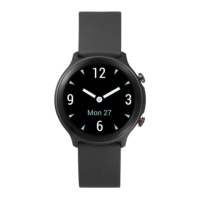

 To Next Page
 General