EasyManua.ls Logo

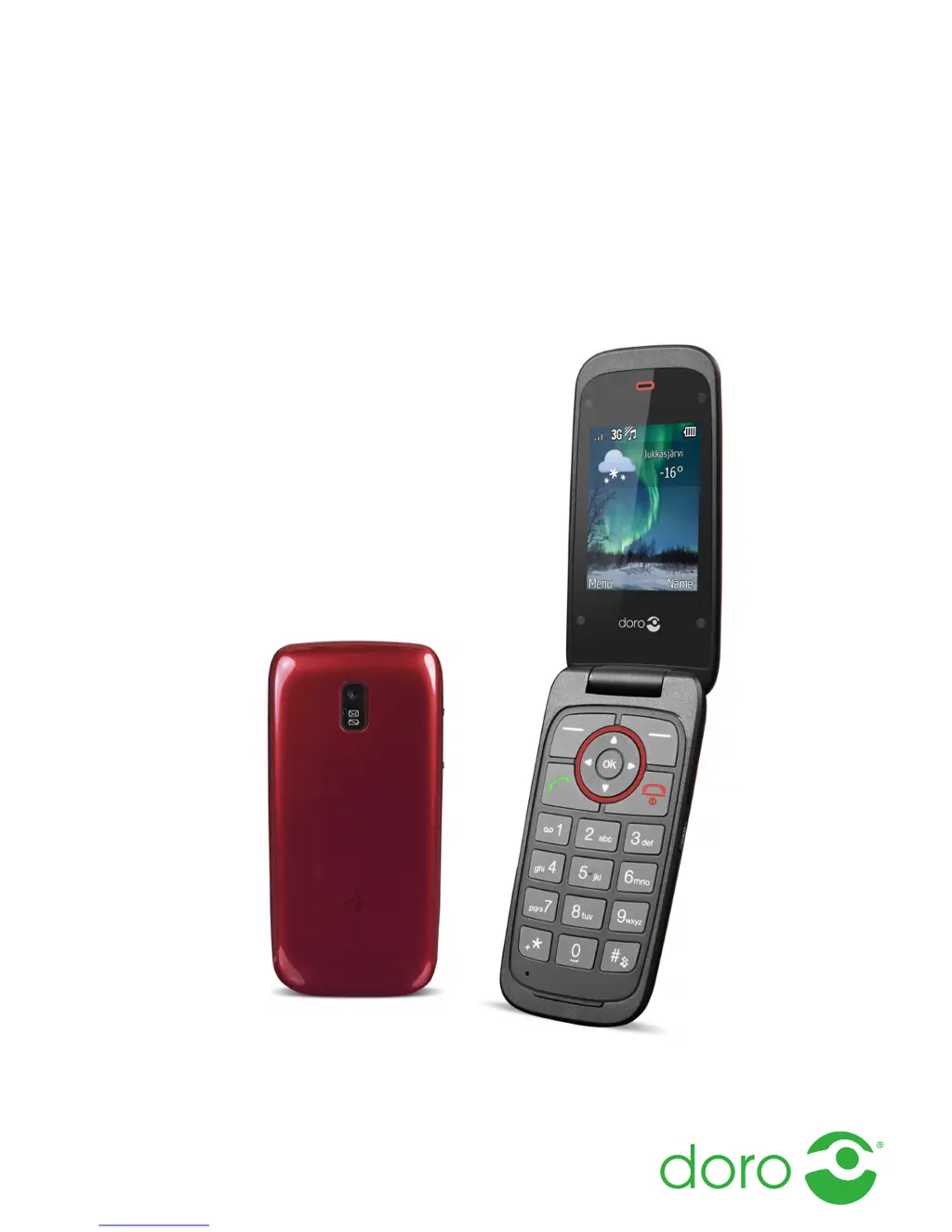
Doro Liberto 650 - User Manual

Doro Liberto 650
66 pages
Print Icon
To Next Page IconTo Next Page
Loading...
English
Doro Liberto
®
650

Table of Contents

Questions and Answers

  • C
    christopher71Aug 15, 2025
    What to do if my Doro Cell Phone cannot be switched on?
    • J
      Jason GatesAug 15, 2025
      If your Doro Cell Phone won't switch on, it could be due to a low battery. Connect the power adapter and charge the battery for 3 hours. Note that full battery capacity is reached after the battery has been charged 3–4 times. Alternatively, the battery may be incorrectly installed, so you should check its installation.
  • B
    Brian PopeAug 18, 2025
    What to do if my Doro Cell Phone fails to add a contact?
    • R
      Robin ReevesAug 18, 2025
      If your Doro Cell Phone fails to add a contact, it could be because the phonebook memory is full. Delete contacts to free up memory.
  • J
    Jonathon MillerAug 21, 2025
    Why does the standby time of my Doro Cell Phone decrease quickly?
    • M
      maldonadowhitneyAug 21, 2025
      If the standby time of your Doro Cell Phone is decreasing quickly, it could be due to a low battery charge capacity, so install a new battery. Another reason might be that you are too far from the base station, causing the phone to constantly search for a signal, which consumes battery power. Try to find a place with a stronger signal, or temporarily turn off the phone.
  • O
    orozcomarthaAug 25, 2025
    Why is my Doro Liberto 650 Cell Phone battery failing to charge?
    • M
      Mrs. Samantha BurnettAug 26, 2025
      If your Doro Cell Phone battery isn't charging, several factors could be responsible. The battery or charger might be damaged, so check them. Also, ensure the battery is charged in temperatures between 0 °C and 40 °C; otherwise, improve the charging environment. Finally, verify that the charger is correctly connected to both the phone and the power socket.
  • T
    Thomas ReedAug 28, 2025
    What to do if my Doro Liberto 650 Cell Phone shows a SIM card error?
    • N
      Nicolas FitzgeraldAug 28, 2025
      If your Doro Cell Phone displays a SIM card error, the SIM card might be damaged. Check its condition, and if damaged, contact your service provider. Alternatively, the SIM card might be incorrectly installed; in that case, check the installation, remove the card, and reinstall it. Also, the SIM card might be dirty or damp. Wipe the contact surfaces of the SIM card with a clean cloth.
  • G
    Gina GregoryAug 31, 2025
    How to fix a weak signal on my Doro Cell Phone?
    • B
      Brittany MoralesAug 31, 2025
      If you are experiencing a weak signal on your Doro Cell Phone, it could be because you are too far from the base station. Try again from another location. Alternatively, there may be network congestion, so try calling at a later time.
  • W
    wsantiagoSep 4, 2025
    What to do if my Doro Liberto 650 Cell Phone fails to place or receive calls?
    • R
      Robin ReevesSep 4, 2025
      If your Doro Cell Phone fails to place or receive calls, call barring might be activated. Deactivate call barring.
  • D
    Daniel LarsonSep 7, 2025
    What to do if my Doro Cell Phone doesn't accept the PIN code?
    • M
      Michael LeeSep 7, 2025
      If your Doro Cell Phone doesn't accept the PIN code, it means that the wrong PIN code has been entered too many times. Enter the PUK code to change the PIN code.
  • T
    Tara BryantSep 10, 2025
    Why is there echo or noise on my Doro Liberto 650 Cell Phone calls?
    • F
      fryheidiSep 10, 2025
      If you experience echo or noise on your Doro Cell Phone calls, it may be due to a regional problem from a bad network relay. Hang up and redial; this may switch you to another network relay.

Summary

Get Started

Insert SIM and Charge Phone

Instructions for inserting SIM and battery, and charging the device.

Get to Know Your Phone

Navigate and Use Features

How to use the phone interface, navigate menus, and understand indicators.

Calls

Make, Receive, and Manage Calls

Steps for making, receiving, logging, and setting up call features like caller ID and waiting.

Phonebook

Manage Contacts

Detailed steps for adding, viewing, editing, and deleting contacts.

Messages

Send SMS and MMS

Steps to compose and send text and picture messages.

Message Settings

Configuring predictive text, writing language, and SMS/MMS settings.

Camera

Take Photos and Videos

How to take photos, record videos, and manage media files.

Connectivity

Bluetooth and Internet Setup

Activating, configuring, and managing Bluetooth and internet/mobile data connections.

Troubleshooting

Common Issues and Solutions

Troubleshooting guide for power, SIM card, network, and call problems.

Safety and Usage

Operating Precautions

Guidelines for phone usage, environment, medical devices, and battery handling.

Specifications

Device Details and Compliance

Technical specifications, SAR information, and declaration of conformity.

Doro Liberto 650 Specifications

General IconGeneral
TechnologyGSM / HSPA
2G bandsGSM 850 / 900 / 1800 / 1900
3G bandsHSDPA 900 / 2100
GPRSYes
EDGEYes
SIMMini-SIM
Display TypeIPS LCD
Card slotmicroSD, up to 32 GB
PhonebookYes
Call recordsYes
LoudspeakerYes
3.5mm jackYes
WLANWi-Fi 802.11 b/g/n, hotspot
Bluetooth4.0, A2DP
GPSYes, with A-GPS
RadioFM radio
USBmicroUSB 2.0
Front CameraVGA
Video720p@30fps
BrowserHTML
GamesYes
JavaNo
RAM1 GB
Internal Storage4 GB
Operating SystemAndroid 4.4.2 (KitKat)
StatusAvailable
SpeedHSPA
Resolution480 x 854 pixels
Alert typesVibration, MP3 ringtones
Rear Camera5 MP, autofocus
MessagingSMS(threaded view), MMS, Email, Push Email
BatteryLi-Ion 2000 mAh battery
ColorsBlack, White

Related product manuals