English
3
Make a call
1. Enter phone number. Delete with c.
2. Press q to make the call. Press L to end the call.
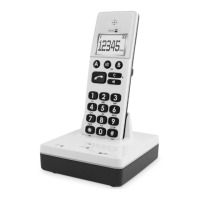
Base unit: Speed dial
Once Speed dials have been saved you only need to press one
button to make a call.
Store speed dial
1. Press w/0.
2. Select HS SETTINGS, press w/0.
3. Select DIRECT MEM., press w/0.
4. Select M1–M3 and press w/0.
5. Enter phone number. Delete with c. Press w/0.
Speed dialling
1. Base unit: press the equivalent button (M1–M3).
2. Press
to end the call.
Receive a call
An incoming call is indicated on the display with a blinking
and with flashing blue ringer LEDs on the base unit and the
handset.
Tip: When someone calls, you can press L to turn off the
handset’s ring signal.
Handset
1. Press q to answer.
2. Press L to end the call.
Base unit
1. Press
to answer.



 To Next Page