19
18
CONTENTS
Banknote counter DORS 820 Banknote counter DORS 820
3 «ADVANCED» Submenu
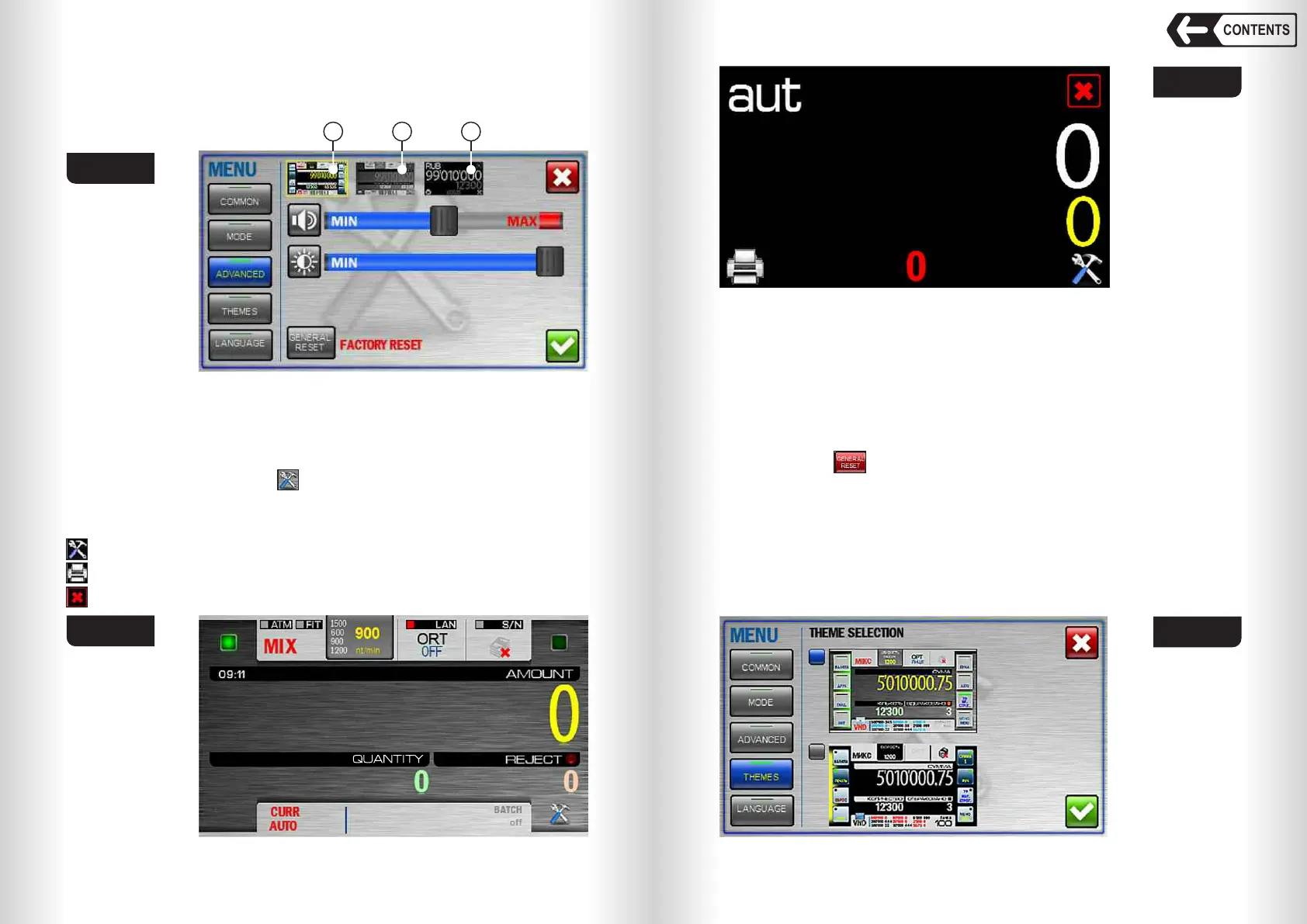
This menu contains screen brightness and sound volume settings, visual
mode select and Factory reset icons (see Fig. 23).
Fig. 23
Visual mode select.
The counter has three visual modes:
1– Regular (default mode, see Fig. 13, Fig. 23.1).
2– Wide (see Fig. 23. 2). Quick access keys are removed from the screen, the
font size is increased for COUNT and AMOUNT values (see Fig. 24). To get
an access to the menu, press key. To recall the hot keys on the sides of the
screen, touch the centre of the screen; touch it again to hide the keys.
3– Simple (see Fig. 23. 3). The font size is increased for COUNT and
AMOUNT values (see Fig. 25). Only three keys are available on the screen:
– menu access.
– send data to printer.
– exit to Default visual mode.
1 2 3
Fig. 24
Fig. 25
SOUND VOLUME
Set the volume by moving the slider between MIN and МАХ (Fig. 23). To
turn the sound off move the slider to MIN.
LCD BRIGHTNESS
Set display brightness by moving the slider between MIN and МАХ (Fig. 23).
FACTORY RESET
Touch the key to reset current user settings to factory defaults (refer to
«OPERATION» s.2). To exclude an accidental reset of the settings, you will be
asked to confirm it (see Fig. 44).
Warning: the settings are reset for the current user only, while the settings
of another user remain as they were.
4 «THEMES» Submenu
Select one of the preset themes of graphic user interface (GUI). Selected
theme is marked by blue check-box at the left (Fig. 26).
Fig. 26


 To Next Page
 Loading...


