Page 5
800-523-8499
www.dosatronusa.com
Proper protection, such as gloves, eye wear, and aprons, are recommended when disassembling a Dosatron.
Step 15: Reconnect the plunger by aligning the top of the plunger
with the retainer.
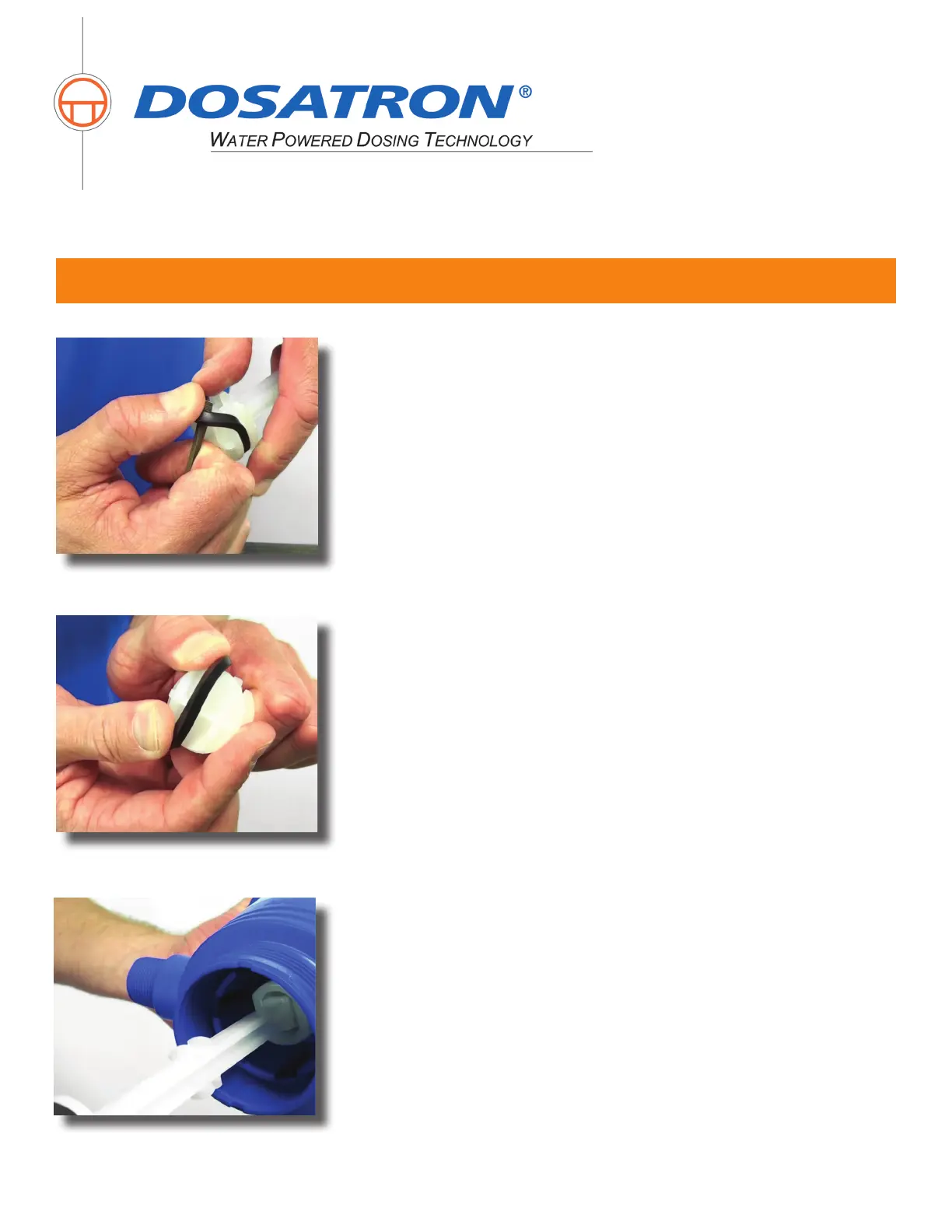
Step 14: Install the new plunger seal into the groove on the
plunger.
D14MZ10 Troubleshooting - Part 1
Step 13: Using a small at head screwdriver, carefully remove the
plunger seal (Part #: JDI123) by rolling it out of the groove.


 To Next Page