Page 3 / 27
I. [Introduction]
1. What is Dot Mini?
Dot Mini is a braille device released by Dot Incorporation that you can use to read various forms
of files including text documents in braille and play media files. You can freely utilize external files
using a USB, SD card, etc., and efficiently manage storage space in the Dot Mini.
The Dot Mini contains a built-in braille transcription engine. This engine automatically transcribes
not only document files, but also books downloaded from an online source so that you can read
them in braille. You can also play or record audio files in the Dot Mini.
With the Dot Mini, you can grow more comfortable with braille and enjoy the learning experience.
Enjoy learning numbers, Korean, and English with the Dot Mini.
The Dot Mini will take you to a whole new world that you have never imagined before.
2. Name and Part Functions
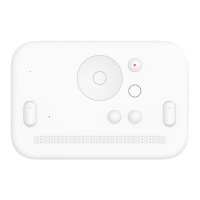
- Place the Dot Mini so that the braille cells are facing upwards. This is the front of the Dot Mini
device. To hold the Dot Mini upright, make sure the braille cells are on the lower half of the
display face.
- When it is not specified to ‘hold’ a button or press ‘simultaneously’ with another button, gently
click the button alone to make a ‘short press’.
- Braille is read from left to right.


 To Next Page
 Loading...