Page 4 / 27
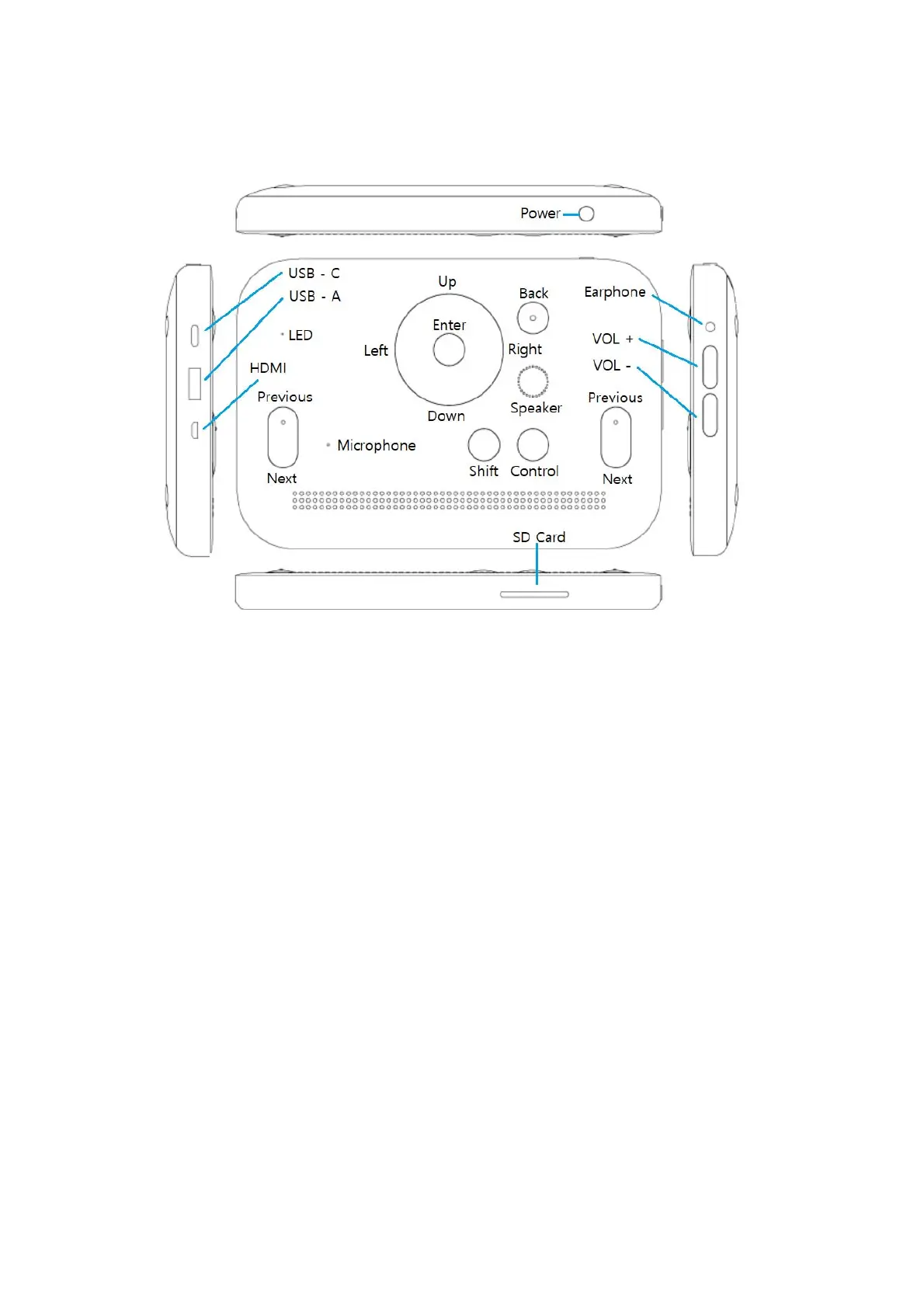
1) Power key
The power key is located at the top right side of the Dot Mini. It is a small, round button.
2) LED
LED is located in the upper left part of the front side to indicate power and charging statuses.
When Dot Mini is being charged, a red light will be shown. When charging is complete, a green
light will be shown. When the Dot Mini is being used, a blue light will be shown.
3) Direction keys and the enter key
The direction keys and the enter key are located in the upper middle part of the front side. There
are four direction keys: up, down, left, and right keys. You can locate these keys above, below,
left, and right of the enter key, which is in the located middle. The up and down keys are used to
move between items in the menu or list, and the left and right keys are used to change the


 To Next Page
 Loading...