16
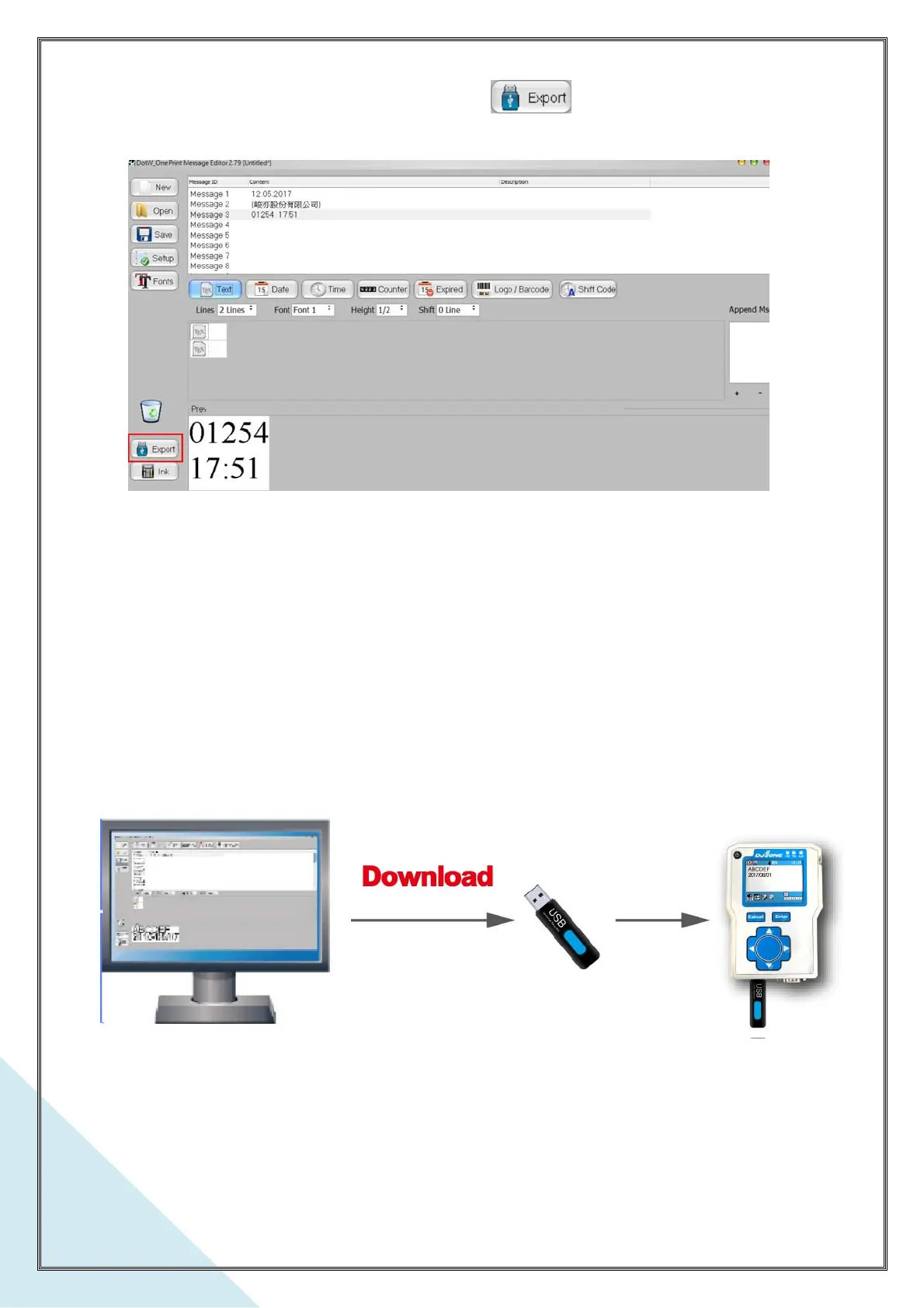
2. Plug an USB stick into the PC. Click the button . The character fonts file DJ1.fnt is
exporting to the USB stick.
※ Plug the USB stick in DJ1 printer. Operating the DJ1 to select the item Download Data which is
under System Setup, then the DJ1 is checking the file DJ1.fnt existed in the USB stick and
download it automatically. Please note, if you just need download the character fonts into the DJ1
printer, delete the message file-DJ1.msg in the USB stick, or the DJ1’s print message and
parameters will be updated by the new files downloaded along with the character fonts ※



 To Previous Page