7
2-5 Continue Count
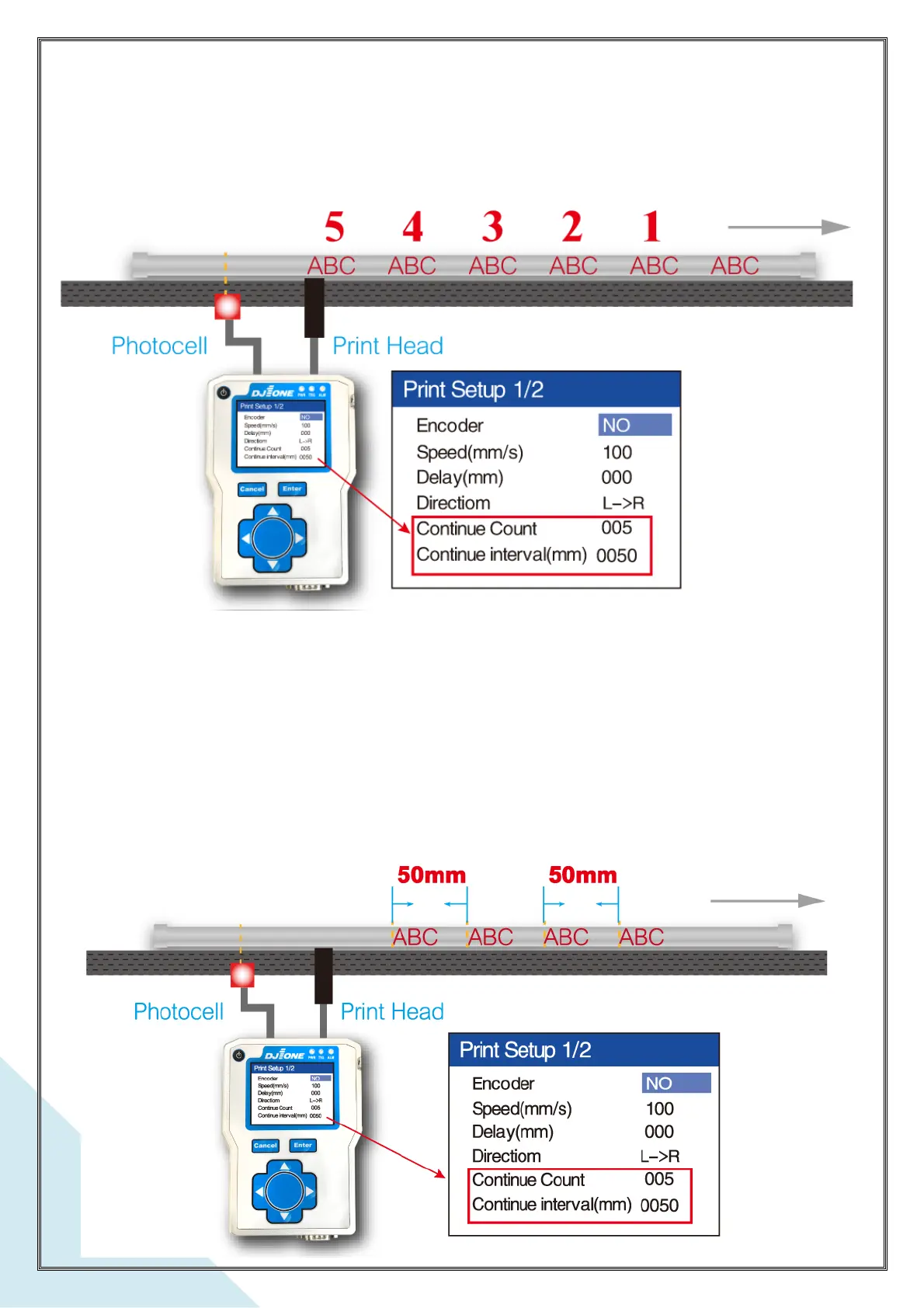
Set this to allocate how many prints are repeated. For example, the number is set at 005,
now the print will repeat 5 times after the photocell has sensed the product.
Please see this example below
*. If the value of ‘Continue Count’ is set at 000. the print head will print once only when the
photocell senses the product*
2-6 Continue Interval
If ‘Continue Interval’ is set at 0050mm, the print head will repeat print every 50mm



 To Next Page