© 2016, Double Apex LLC. All rights reserved. Rev3
4
Step 1: Programing The Control Box
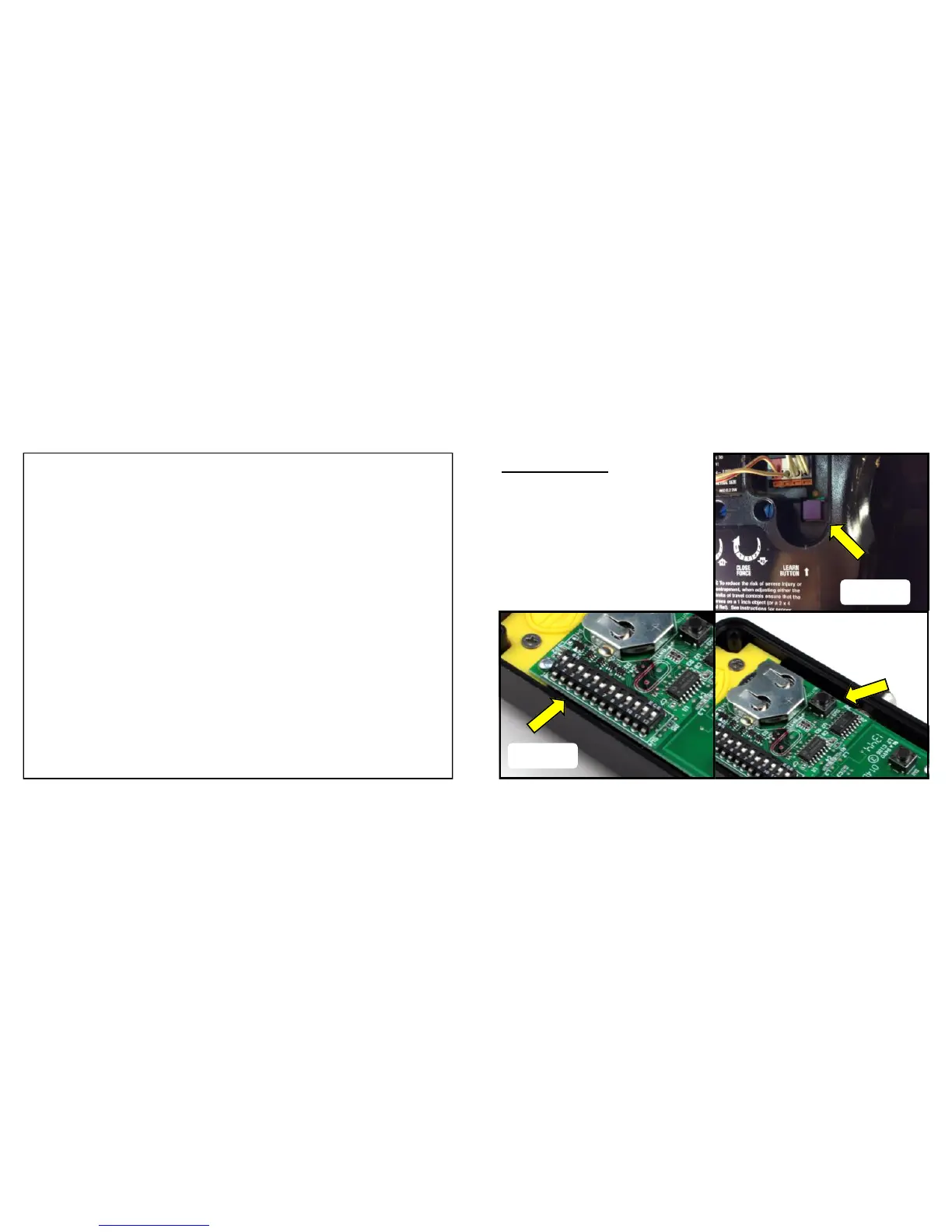
1. Determine the type of garage door opener you have, smart/learn
or dip switch. Smart/learn units will have a colored button on the
motor unit (Figure A). Dip switch units will have a series of switches
(Figure B). Temporarily insert the included coin battery, + side up. If
you have smart/learn model continue to the next step. If you have a
dip switch model skip to step 1A.
2. Find your brand opener in Appendix A and note the number of
times to press the button on the control box.
3. Make sure your garage door is closed. Press and hold the pro-
gram button in the control box until the LED illuminates. (Figure C)
4. Press and release the smart / learn button on the opener motor
unit (Figure A).
5
© 2016, Double Apex LLC. All rights reserved. Rev3
Photo A
Figure C
Required Tools:
1. Small Phillips head driver
2. Small flat heat driver
3. Plastic trim pry tool
4. T30 Torx wrench
Figure B
Figure A


 To Next Page
 Loading...