© 2016, Double Apex LLC. All rights reserved. Rev3
12
Step 2 Continued:
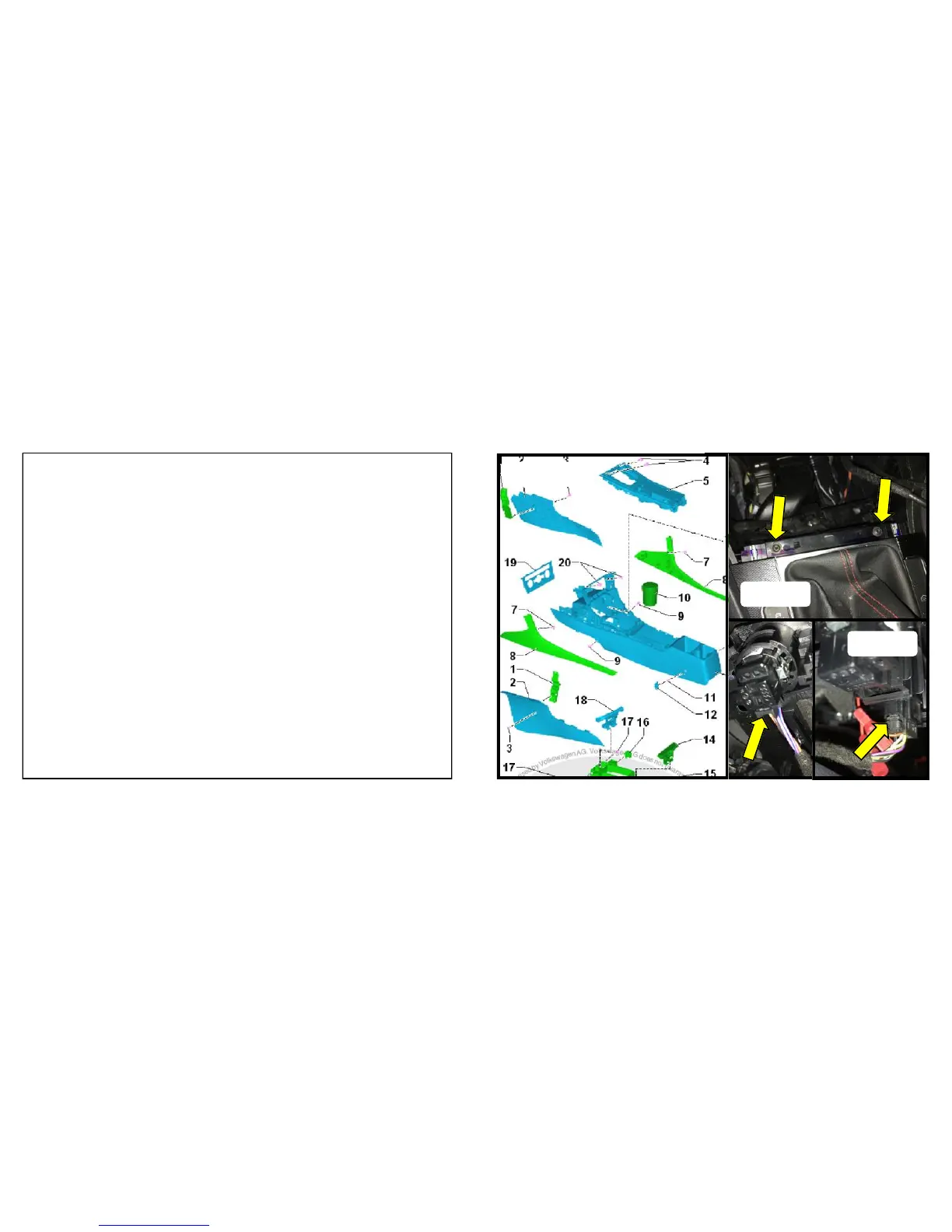
For Golf / GTI:
4. Remove the T20 Torx screws at the front of the shifter trim and
lift up at the front edge to remove the trim and button assembly.
Figure E
For Golf R:
4. Remove the T20 Torx screws (Figure E). Remove the two
screws (#7, Figure D) and remove the console side covers, #8.
Lift the center console insert (#5) upward to detach.
For all vehicles:
5. Disconnect the connector on the left side button cluster and the
push start button if equipped and any other wire harness con-
nectors. Use a small screw driver to depress and release the
connector latches and pull the connector outward. Figure F


 To Next Page
 Loading...