Existing Center Anchor
Pickleball Post Locations
22’ apart, measured Inside-to-Inside
Set
Screw
Cap
Eyebolts
Take Up Post
Dummy Post
Douglas® Pickleball Premier™ SQ
Surface Mount Item # 63080
1. Use 1/2” Bolts (not included) to
secure posts to the court surface.
Posts should be square to the
playing surface 22’ apart,
measured inside-to-inside.
2. Install hardware to post
3. Adjust set screw to tighten
tennis post caps.
4. Screw on the top and bottom
eyebolts to each post.
During the off season, it is best to
winterize your court by removing
the tennis posts and storing them
indoors.
Hardware is located inside the end of take up post and
Includes (1) removable chrome handle and (4) eyebolts.
POST INSTALLATION:
NOT TO SCALE
CARE & MAINTENANCE
NOTE:
Ensure pulley on
cap is facing away
from the court and
the net cable is
installed down the
side of the post
and into gears.
It should NOT be
installed down
through the cap.
36”
POST & BOLT PLATE
1”
3/4”
4-1/2”
5”
7”
6”
Plate: 6” x 7“
Holes: 9/16”
Hole Pattern: 4-1/2” x 5”
9/16”
Install with 1/2” Bolts
(not Included)
(Post side with gears and lacing rods)
6”
7”

 Need help?
 General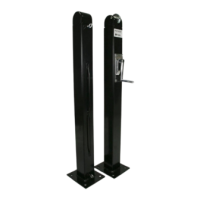

 To Next Page
