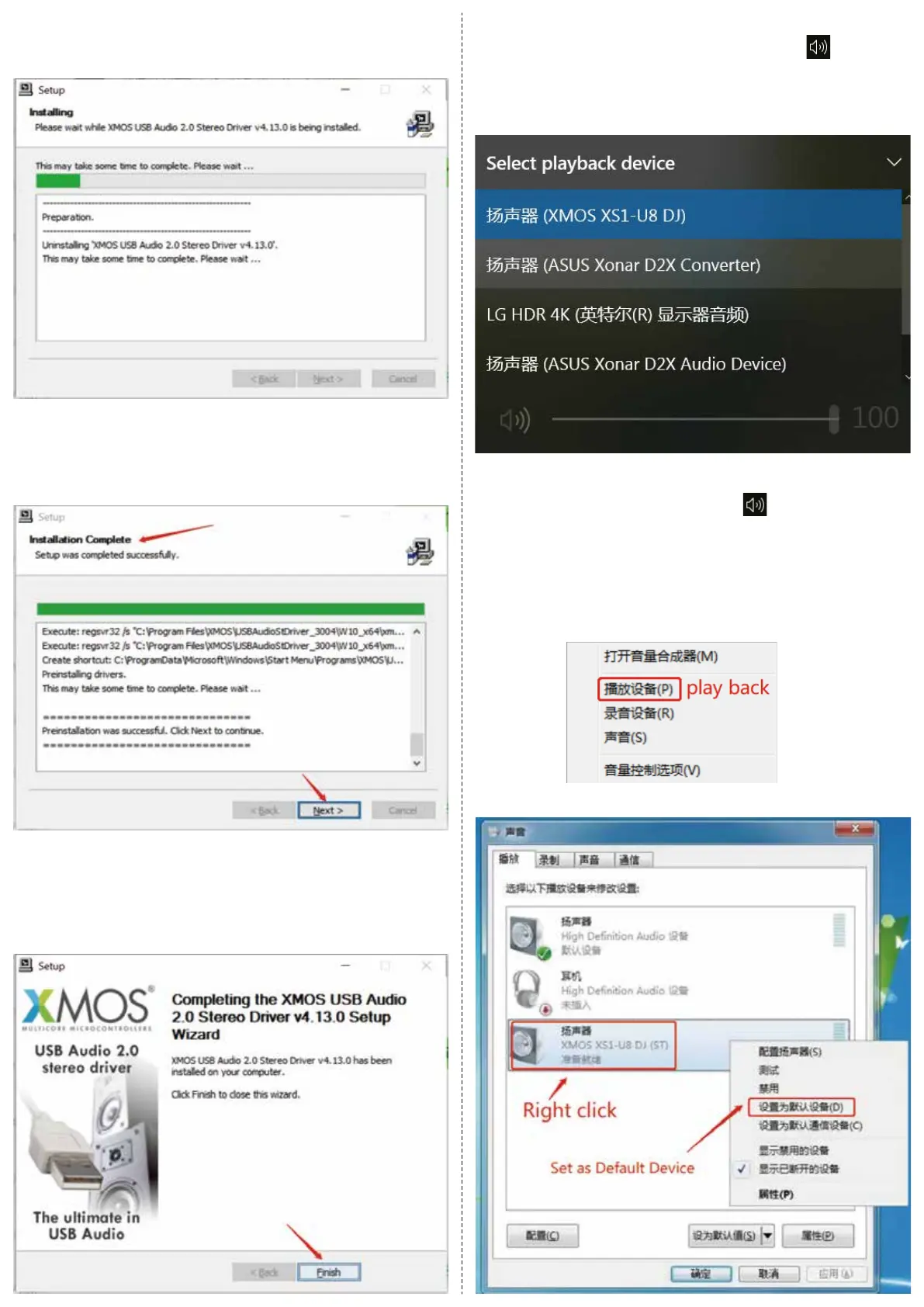
7. Begin to install, as the following picture shows:
8. Click “Finish”, then the driver installation is done, just as the
following picture shows:
Until it promots that the installation is completed, and click “Next”.
2. If your PC system is Win7, please click on the lower right
corner, and select “play back” in the popup menu and right click
“XMOS XS1-U8 DJ”, and select “Set as Default Device” in the
popup menu, as the following picture shows:
● How to Set XMOS as Output on the PC
1. If your PC system is Win10 or Win11, please click on the lower
right corner, and then click “∧” and select “XMOS XS1-U8 DJ”,
as the following picture shows:


 To Next Page