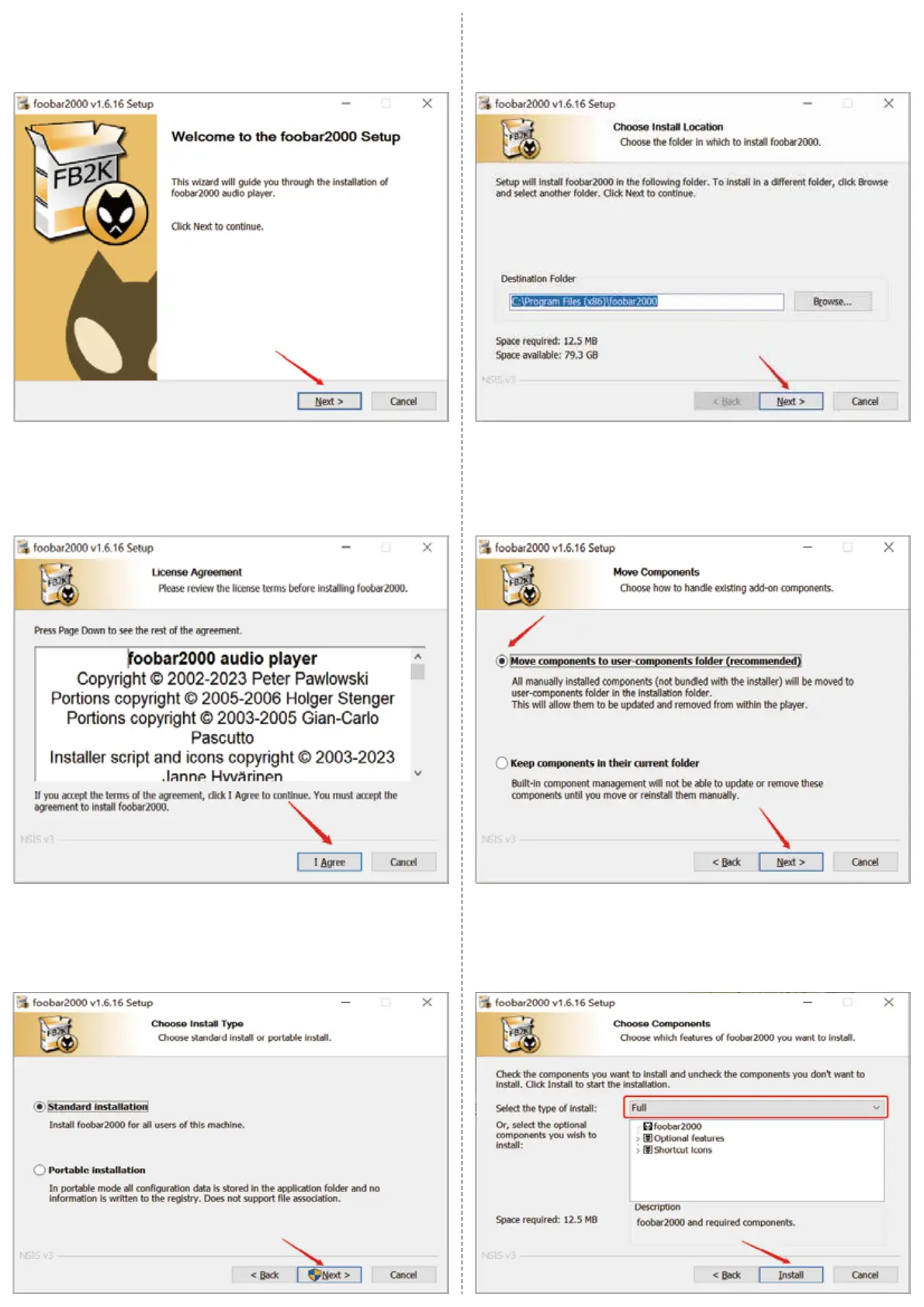
2. Click “I Agree”, as the following picture shows:
4. Click “Next”, as the following picture shows:
5. Click “Next”, as the following picture shows:
6. Click “Install”, as the following picture shows:
3. Click “Next” , as the following picture shows:
● How to Play DSD Music on Foobar (V1.6.16)
1. Double click foobar2000_v1.6.16.exe and then click “Next”


 To Next Page