Adjusting boom length
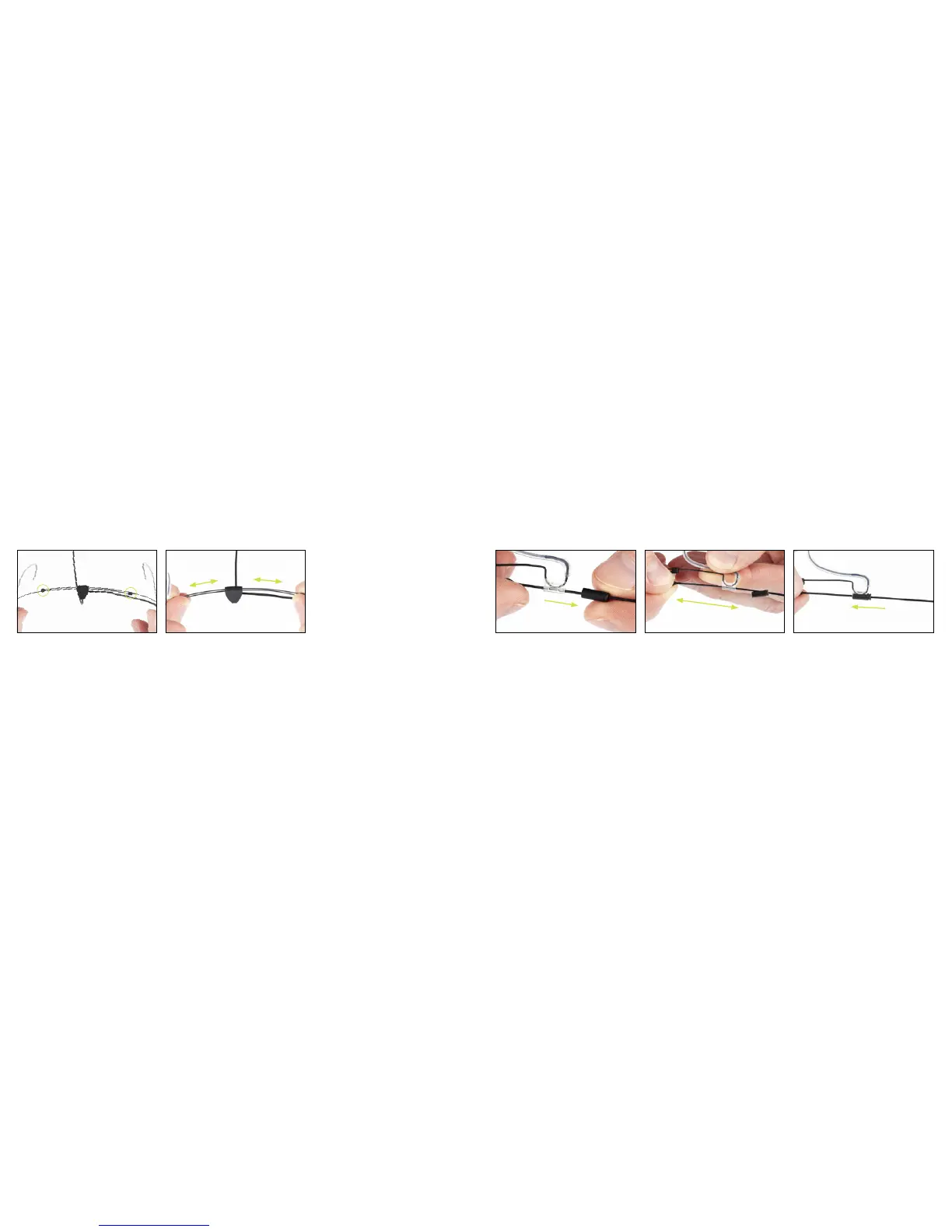
Adjusting frame size
The frame is one size fits all with a
simple adjustment mechanism for quick
and easy resizing. Move the ‘frame
guides’ to adjust the size.
Moving the guides towards each other
will enlarge the frame and moving
them away from each other will make
it smaller.
Release the sliding lock by gently pulling
it away from the ear grip. There is a
recess for your fingernail to help you get
a grip on the lock.
Gently pull (to shorten) or push (to
lengthen) the boom pole to the desired
position.
Move the sliding lock back on the ear
grip to secure the desired position. The
boom is now locked firmly in position.



 To Next Page