
 Need help?
Do you have a question about the DPA TAB910 and is the answer not in the manual?
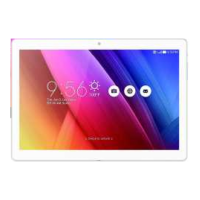
Provides introductory information about the tablet and potential company changes.
Details safety precautions for driving, aircraft, and risky areas.
General advice for tablet care, avoiding damage from environment and mishandling.
Explains the purpose and location of physical keys on the tablet.
Describes the function of various on-screen icons like Menu, Home, and Back.
Instructions on how to charge the tablet's battery and monitor its status.
Tips and methods to extend the tablet's battery life between charges.
Guide on connecting to Wi-Fi, Bluetooth, and computers via USB.
Instructions for pairing and connecting to Bluetooth devices.
Steps to connect the tablet to a computer for file transfer using USB.
Basic methods for interacting with the screen: touch, touch & hold, drag, swipe.
How to lock and unlock the tablet screen for security and power saving.
Guide on using the virtual keyboard for text input.
Functionality for backing up and restoring tablet data.
Instructions on using the web browser to access websites.
How to navigate, search, refresh, and zoom webpages.
Copying text, downloading files, and managing browser windows.
How to bookmark webpages and manage them.
Using the built-in calculator for arithmetic operations.
Managing schedules, events, and alarms.
Steps to create new events, invite others, and sync calendars.
Customizing calendar display and notification settings.
Using the tablet's camera to take photos and videos.
Setting alarms, timers, and using world time.
Viewing a list of downloaded files and applications.
Setting up and using the email application.
Step-by-step guide to create and send emails.
Using the Facebook application.
Managing files and directories on the SD card.
Using the Flipkart online store.
Listening to FM radio using the earphones.
Viewing photos and videos stored on the device or SD card.
Using Google's email service.
Searching the web using voice or text.
Configuring Google-related application settings.
Using the Google messaging app.
Using the HI LifeBox function.
Using Google Maps for navigation and location services.
Refreshing, zooming, copying text, and navigating map views.
Creating and managing text notes.
Using the Opera Mini web browser.
Managing contacts, importing, exporting, and sharing.
Displaying contacts, syncing accounts, and batch deletion.
Accessing the dial pad and managing call logs.
Downloading and managing media files from the Play Store.
Using the Quikr website for classified ads.
Performing searches on the tablet and the web.
Configuring various tablet settings.
Managing SIM, Wi-Fi, Bluetooth, data, and mobile networks.
Configuring audio profiles, display, storage, and battery.
Viewing and managing installed applications and services.
Managing location services and personal preferences.
Configuring security parameters, language, and input methods.
Setting date, time, accessibility, and printing.
Viewing general information about the tablet.
Using the function to record audio files.
Playing video clips stored on the device or SD card.
Performing searches using voice commands.
Accessing and using the YouTube application.
Solutions for common issues encountered while operating the tablet.
Solutions for the tablet not powering on or charging.
Addressing issues related to the battery not charging correctly.
 General
| RAM | 2GB |
|---|---|
| Internal Storage | 32GB |
| Rear Camera | 5MP |
| Front Camera | 2MP |
| Operating System | Android |
| Display | IPS |
| Resolution | 1280x800 |
| Processor | Quad Core |

 To Next Page