removing your unit from the charger as soon as it is fully charged. This will help extend the overall lifespan of your
battery. Leaving your unit plugged in for extended periods will shorten the lifespan of the battery.
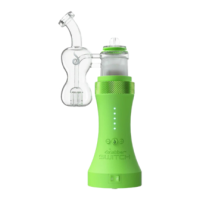
Cleaning your Switch
Cleaning Guide (https://www.youtube.com/watch?v=gmc_2spj7Ww&t=38s)
(https://www.youtube.com/watch?v=gmc_2spj7Ww&t=38s)The Switch comes with a programmed self-cleaning
cycle for Standard Ceramic induction cups. Make sure to clean out any residue inside the induction chamber
before using the self cleaning cycle. Press and release (+) button, then press hold the (+) button for 5 seconds or
until the heating chamber lights illuminate PURPLE and the unit starts a heating cycle with the ascending red LED
lights. The unit may need to start a cooling cycle, with the descending blue LED lights, when the cleaning cycle is
complete. Cooling cycle will only activate if the unit becomes too warm to function correctly.The cooling cycle may
last anywhere from 1-5 minutes after a cleaning cycle. You may also use a torch to clean induction cups or soak
them in isopropyl alcohol for 10-20 minutes.
*Cleaning cycle will not activate in Crystal Mode.*
Make sure to keep your Switch unit and induction cups clean. Remove the glass attachment and induction
cupfrom the unit. Using a cotton swab or paper towel dipped inisopropylalcohol, we recommend 91% or higher
isopropyl alcohol for best results, clean any residue in and around the induction chamber. Let all parts air dry
completely before use.
We recommend using a cotton swab to clean out induction cups after every use. This will help preserve the
lifespan and flavor of these parts. Dry cotton swab immediately after every dab. Then use a cotton swab dipped in
ISO, while the cup is still warm, to remove any left over residue.
To clean glass attachments, fill with isopropyl alcohol and shake vigorously until all blemishes are removed. You
may need to repeat this step. Completely rinse with water and let air dry.
You may use a torch to clean Quartz, SIC, AlN, Sapphire, and Smooth Ceramic induction cups or soak in
isopropylalcohol for 10-20 minutes. Use constant motion while torching. Do not let hot inserts/cups come in
contact with cool surfaces while warm. Let inserts/cups cool naturally at room temperature. Video for reference.
(https://vimeo.com/648689825)
Switch Temperatures
Temp Guide (https://www.instagram.com/p/BuARlYRHMvs/)
(https://www.instagram.com/p/BuARlYRHMvs/)Advanced and Crystal Mode Approximate Temperature Ranges:


 To Next Page
 Loading...