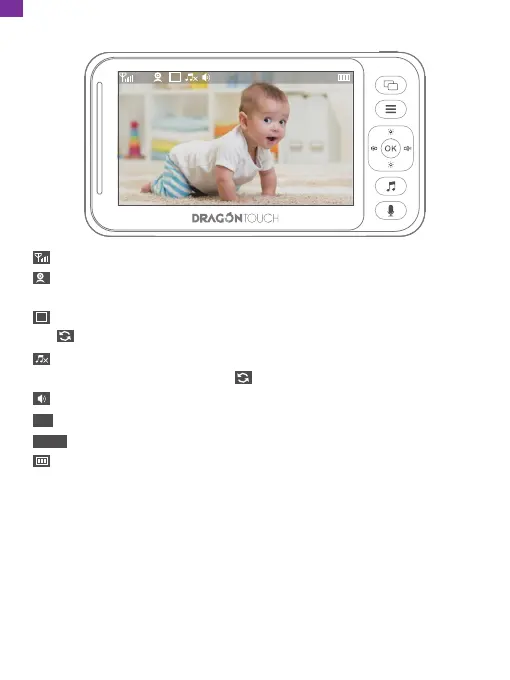
4. Screen icons are as follows:
1
1
10:44AM
24℃
10:44AM
eSignal strength
Speaker volume
Room temperature (Change between Celsius and Fahrenheit in the menu)
Time (AM means morning, PM means afternoon)
Battery Status
Current camera (press the camera switching button to switch. 1 for the first
camera and 2 for the second camera)
Single camera monitoring (Press the camera switching button to switch.
Cycle through monitoring means monitoring by cycling through 2 cameras)
Lullaby. the device has 8 pieces of musiclullabies in totally. The number
indicates which lullaby is playing. indicates it will cycle through all lullabies.
1
1
24℃
10
EN


 To Next Page