22
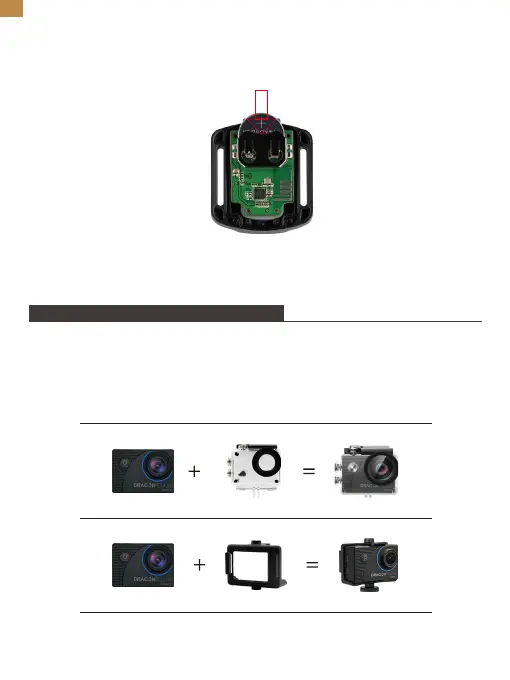
6. Reinstalla tutte e 4 le viti nel coperchio.
4. Installa la nuova batteria, mantenendo il polo "+" rivolto verso l'alto.
5. Reinstalla tutte e 4 le viti sulla scheda del circuito.
Puoi fissare la tua fotocamera su caschi, manubri e altro ancora per sbloccare più
divertimento.
Nota: Prima di immergerti, assicurati che il coperchio USB sia chiuso saldamente per
evitare che si bagni.
Montaggio della tua fotocamera
IT


 To Next Page