
 Need help?
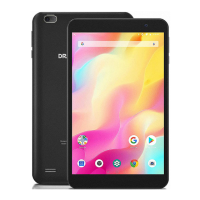
Do you have a question about the DragonTouch Y80 and is the answer not in the manual?
Accessing websites, checking email, and watching videos.
Reading books, using the media library, and expanding storage.
Wireless internet access and built-in camera functionality.
Display adjusts automatically based on device orientation.
Identifies power buttons, volume controls, USB, headphone, and microSD ports.
Locates front/rear cameras, speaker, and headphone jack for media.
Step-by-step guide to turn the tablet on, off, or put it into sleep mode.
Understanding the home screen layout, icons, and basic navigation.
Setting wallpaper and adding widgets to personalize the home screen.
Securing your tablet with a screen lock like swipe, pattern, or PIN.
How to unlock the screen and capture device screenshots.
Overview of applications that come pre-loaded on the tablet.
Guidance on downloading and installing apps from external sources.
Steps to turn on Wi-Fi and connect to available networks.
Using the browser for web access, bookmarks, and cookie management.
Enabling Bluetooth and pairing with other devices for file transfer.
Transferring files between the tablet and a PC via USB connection.
How to perform a factory reset to restore the tablet to default settings.
Resolving problems related to the device not powering on or charging.
Troubleshooting Wi-Fi and PC detection errors for seamless operation.
Managing storage space and resolving application error messages.
Provides contact details for customer inquiries and support.
 General
| Brand | DragonTouch |
|---|---|
| Model | Y80 |
| Category | Tablet |
| Language | English |

 To Next Page