- 12 -
Match:Indicates that the sample comply with the degree of matching standard
grades. This value is smaller the better match. In general: 0-2 indicates exact match,
2-4 indicates a good match, Greater than 4 indicates not match.
Element content: the content of the test results showed that the main component
elements。
Error: Analysis of error is ± 2δ instrument displays error, that is, 95%
confidence interval.
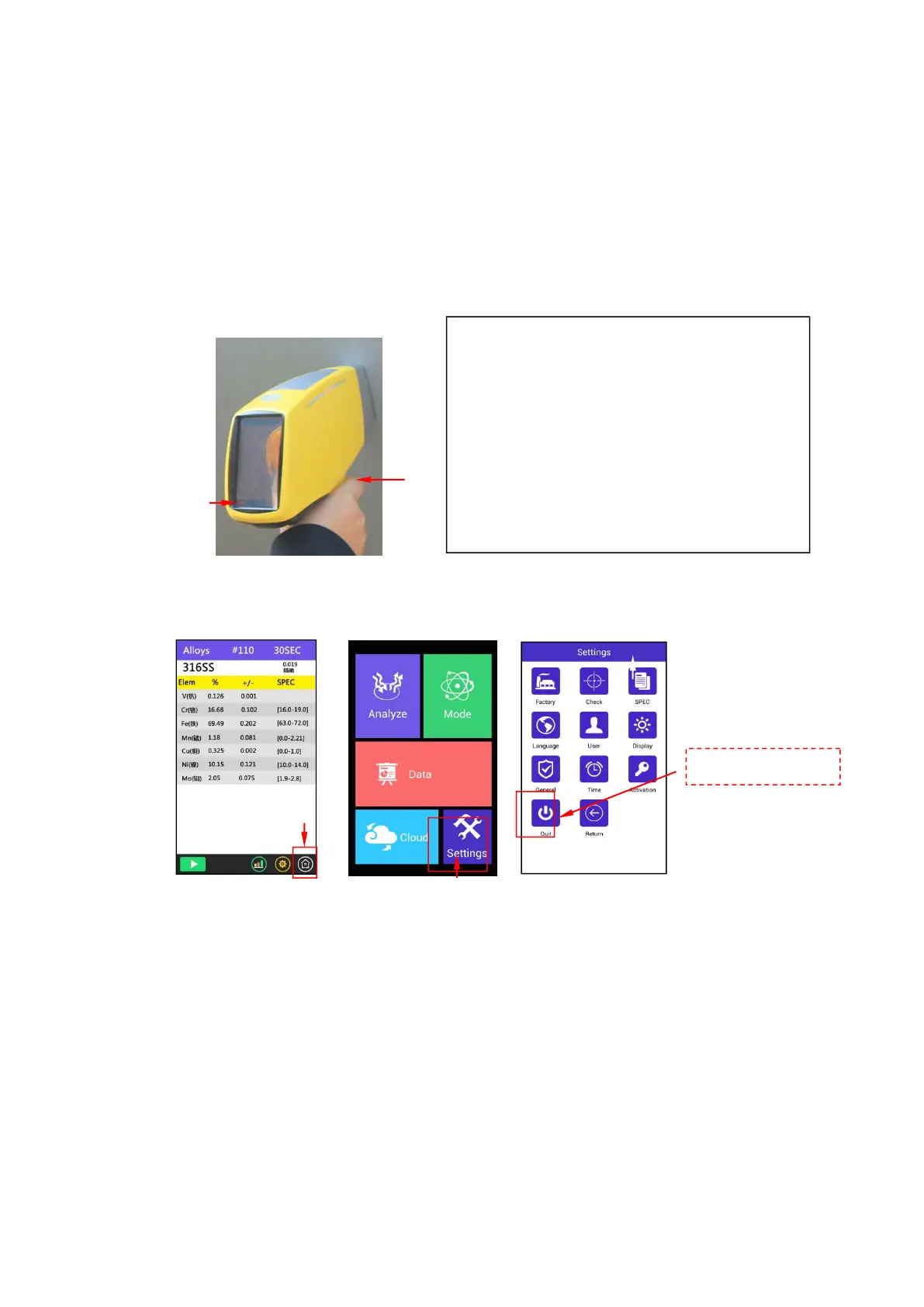
When you need to exit the test interface, simply click on the bottom right of the
HOME button to complete. (If you are testing, then click on this button is invalid)
Shutdown:
Click on the Home button >> Click the settings button >> Click the Quit button >> Click to confirm
the shutdown button
Note: when the instrument is closed, the battery should be taken out. Put the
instrument in the suitcase and keep properly.
When the need to exit the Test screen, simply click on the HOME button. (If you
are testing, this button clicked is invalid)
2.4 User Factor Instructions
The FP software applied by TrueX equipment can calibrate most co-exist matrix
effect, but TrueX analyzer still can not analyze elements lighter than S, as light elment
The distance between the sample and the
detection window, do not have the space;
During the test, do not shake the instrument or
sample
When testing samples , human tissue
should stay away from the detection
window, avoid the X-ray radiation。
When the left and right indicator is blinking,
the X-ray tube is working。



 To Next Page