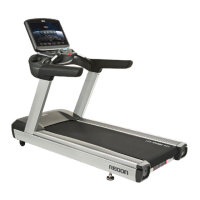
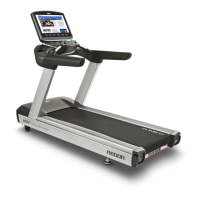
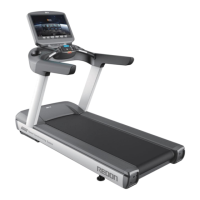
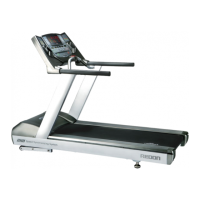
The DRAX NEW REDON (V1.2E) is a series of treadmills, including models NR30, NR25, and NR20, designed for exercise and fitness. It is an Android-based system that offers various functions such as TV, video, internet, and virtual tours.
Function Description:
The NEW REDON treadmill allows users to engage in various exercise programs, track workout metrics, and enjoy multimedia content. It features a running belt for walking or running, with adjustable speed and incline. The treadmill is equipped with a display console that provides an interface for controlling the machine and accessing its features.
Important Technical Specifications:
- Models: NR30, NR25, NR20 series.
- Speed:
- NR30/NR25 models: 0.8~25 km/h (0.5~15.5 mph)
- NR20 models: 0.8~20 km/h (0.5~12.4 mph)
- Incline:
- Incline Supported Models: 0~22% (Patented Dual Incline) or 0~16% (Patented Dual Incline) depending on the specific model.
- Incline Non-Supported Models: No incline feature.
- Motor:
- NR30/NR25 models: AC 3HP (Max. 5HP treadmill duty)
- NR20 models: AC 2HP (Max. 3HP treadmill duty)
- Rollers: Ø100 mm (3.9")
- Motor Control: Sensorless Vector Control
- Running Space: 520x1580 mm (20.5" x 62.2") Patented Floating Deck System
- Dimensions: 928 x 2165 x 1640 mm (36.5" x 85.2" x 64.5") WxLxH
- Weight: 190 kg (420 lbs)
- Max. User Weight: 180 kg (400 lbs)
- Display: Embedded 21.5 inch LCD with additional White 6 FND
- Power: AC 220-230V, 50/60Hz, 2.2kW (specifications may vary by country).
- Emergency Stop: Magnetic Holder Type.
- Safety Space: A safe space of 2,000 × 1,000 mm (78.7" x 39.4”) behind the Treadmill is required.
Usage Features:
- Display Console: The main interface for controlling the treadmill. It includes a Start/Stop Button, Emergency STOP Key, Incline control lever, Speed control lever, and Touch type Heartrate Sensor.
- Main Screen: Displays TV, Internet, Screen-mirroring, and Workout Programs.
- Exercise Display: Shows critical workout metrics such as Time, Distance, Level, Calories, and Heart rate.
- USB Port: A multi-media port for plugging in a USB flash drive to watch movies, music videos, or photos on the display screen. Supports USB 2.0.
- Earphone Jack: For connecting headphones or earphones.
- Program Button: Allows selection of preset exercise programs, initiates a cool-down program, or pauses the workout.
- Keypad: Includes buttons for ON/OFF (main screen), MENU (menu options), Mirroring (Android/IOS device screen mirroring), OK (confirm functions), CANCEL (exit menus), and Navigation Arrows (CH▲, CH▼, VOL◀, VOL► for TV channels and volume).
- SpeedSYNC Type: This feature automatically adjusts the treadmill speed based on the user's position on the machine. Moving forward increases speed, moving back decreases speed.
- Excite Mode: Dynamic and quick reaction, suitable for running.
- Comfort Mode: Slower reaction, limited top speed, suitable for walking or beginners.
- Quick Speed Buttons: Three pre-set speed buttons (3Km/h, 6Km/h, 9Km/h) for quick speed selection (not compatible with Speed Sync).
- Normal Type (for models without SpeedSYNC): Features Quick Incline Buttons (0%, 3%, 6%) for quick incline adjustments.
- WI-FI Setup: Allows connection to a Wi-Fi network for internet access.
- Bluetooth Setup: For connecting to available Bluetooth devices.
- TV Setup: Configures TV settings, including tuner mode (Antenna or Cable) and channel scanning.
- Mirroring Setup: Enables mirroring of Android or iOS device screens to the treadmill's main screen.
Maintenance Features:
- Cleaning: Use a soft, light cloth with a mild cleaning agent (water and dish soap solution) to wipe the unit. Avoid spraying directly on the unit or using harsh cleaning products. Keep the area around the unit clean.
- Inspection: Visually inspect the unit for damage or loose bolts.
- Testing: Test all functions, adjustments, and listen for abnormal noises. Check for foreign substances on the running belt or deck and ensure the belt is not twisted.
- Running Belt Adjustment:
- Centering: Run the treadmill at 5km/h. If the belt tracks to the right, tighten the right-hand side roller adjustment bolt (8mm Allen key, 1/4 turn clockwise). If it tracks to the left, tighten the left-hand side roller adjustment bolt (8mm Allen key, 1/4 turn clockwise). Repeat until centered.
- Tension: If the belt slips underfoot, tighten both right and left-hand roller adjustment bolts (1/4 turn clockwise) simultaneously. Repeat until slipping stops. Access bolts through end cap holes. Do not over-tension.
- Heart Rate (Pulse) Detector: If irregular, ensure proper hand contact, clean the sensor with a moist cloth, dry hands, and apply constant pressure.
- Troubleshooting:
- No Power: Check power supply, power switch, power cord connection, and cord damage.
- Belt Slipping: Refer to belt tension adjustment.
- Rubbing/Scraping Sound: Check for foreign objects or running belt tracking.
- Speed Sync Unresponsive: Turn off treadmill, wait 1 minute, restart. Ensure no weight on the deck during startup for proper load cell calibration.
- Treadmill Suddenly Stops: Check if the Emergency-stop has been activated.
- Product Management Schedule: A detailed schedule for weekly, monthly, quarterly, twice a year, and yearly maintenance tasks for various components like display, switches, USB/audio ports, cup holder, E-Stop switch, handles, motor cover, motor room, motor belt, level foot, running belt, rollers, running deck, sensor, machine horizontal alignment, belt alignment, frame/rear cover, and bolts/nuts. Tasks include cleaning, inspection, adjustment, and vacuum cleaning.

 Need help?

 To Next Page
 General