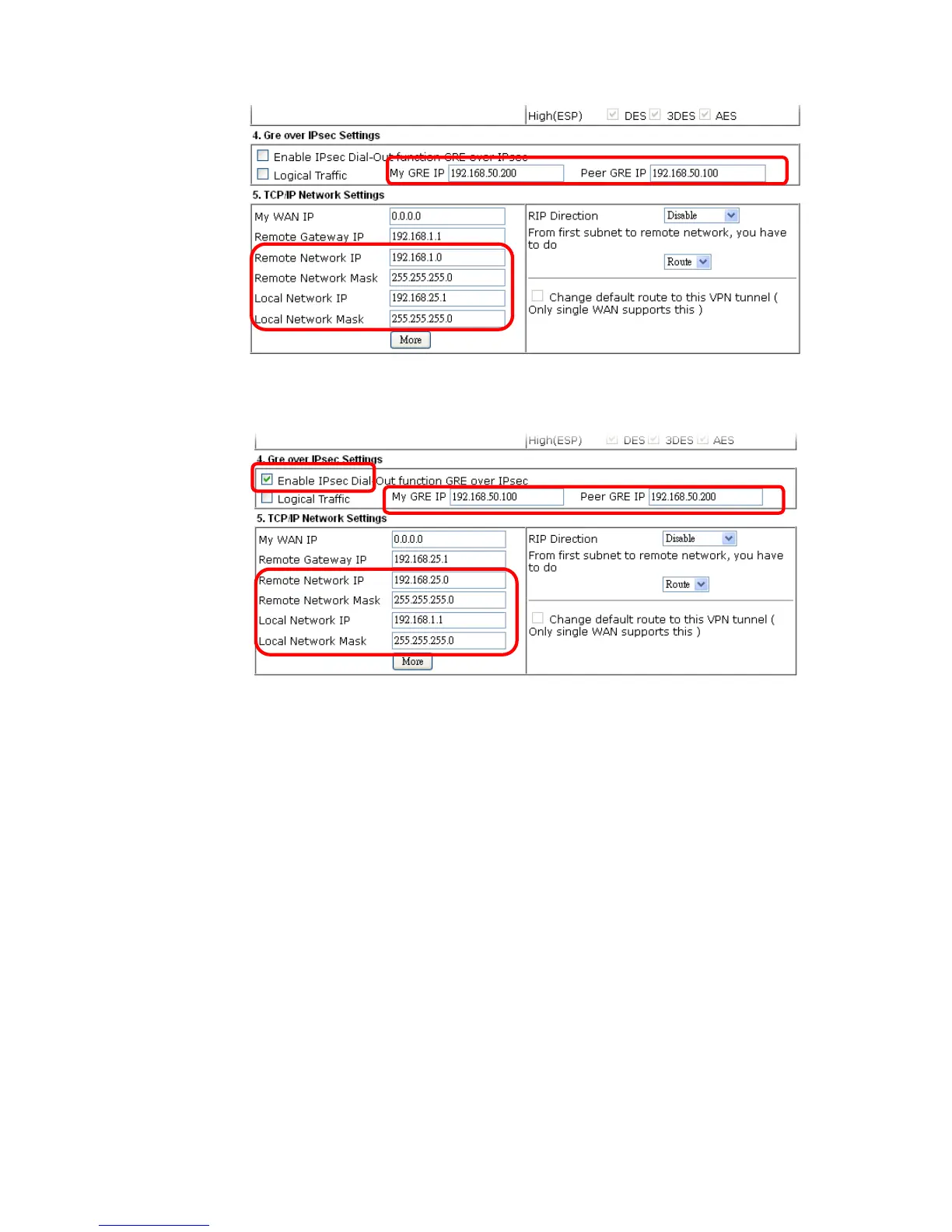
3. Later, on peer side (as VPN Client): please type 192.168.50.100 in the field of My GRE IP
and type IP address of the server (192.168.50.200) in the field of Peer GRE IP.
A
A
d
d
v
v
a
a
n
n
c
c
e
e
d
d
L
L
o
o
a
a
d
d
B
B
a
a
l
l
a
a
n
n
c
c
e
e
a
a
n
n
d
d
B
B
a
a
c
c
k
k
u
u
p
p
After setting profiles for load balance, you can choose any one of them and click Advance for
more detailed configuration. The windows for advanced load balance and backup are
different. Refer to the following explanation:














 To Next Page