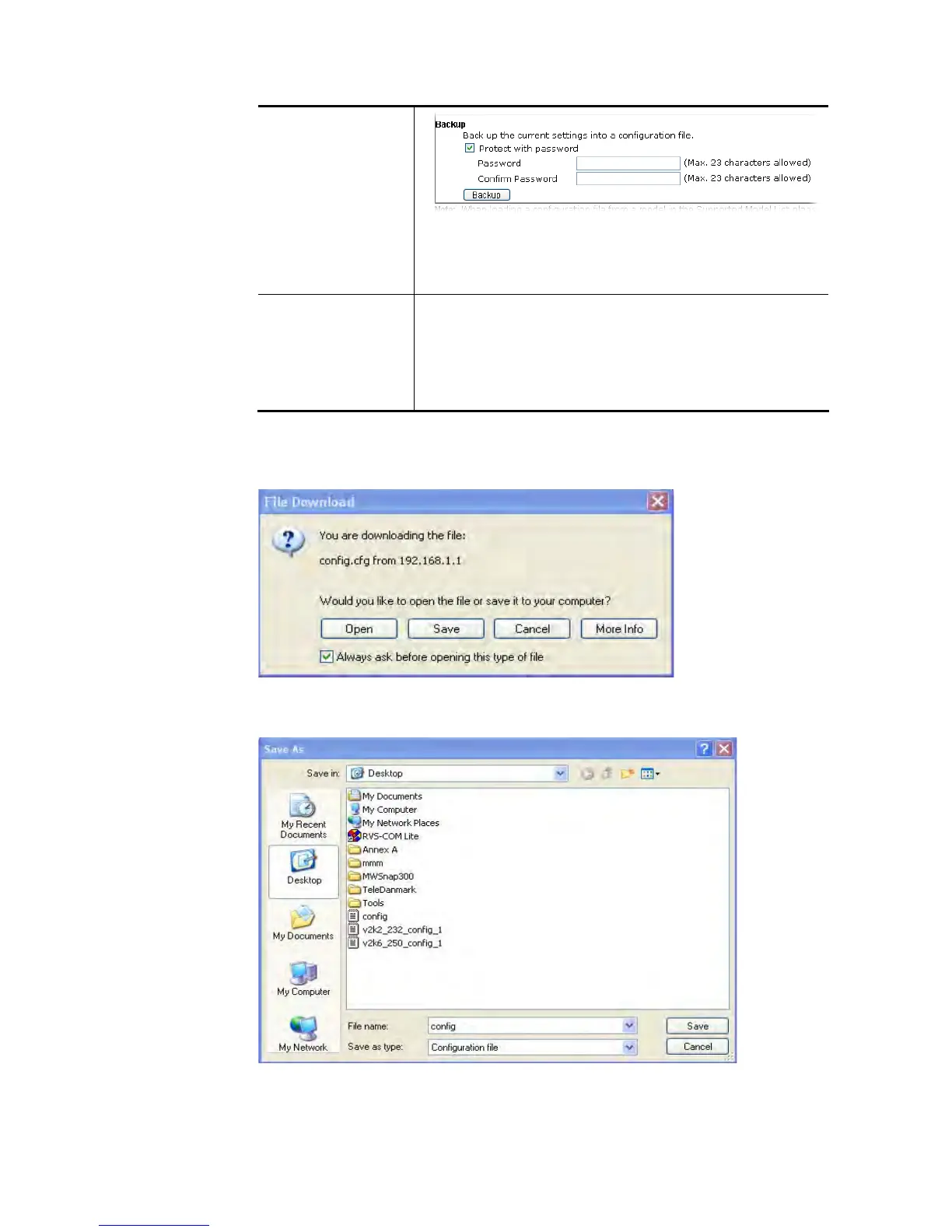
Password – Type several characters as the password for
encrypting the configuration file.
Confirm Password – Type the password again for
confirmation.
Support Model List Web configuration file from other Vigor router can be
applied to Vigor2860 series. At present, the configuration
file of Vigor2820/Vigor2830/Vigor2850 is accepted for Vigor
2860.
This field displays model name(s) and firmware which web
configuration file saved can be used by such router.
2. Click Backup button to get into the following dialog. Click Save button to open another
dialog for saving configuration as a file.
3. In Save As dialog, the default filename is config.cfg. You could give it another name by
yourself.
4. Click Save button, the configuration will download automatically to your computer as a
file named config.cfg.
The above example is using Windows platform for demonstrating examples. The Mac or Linux
platform will appear different windows, but the backup function is still available.














 To Next Page