A
A
u
u
t
t
h
h
e
e
n
n
t
t
i
i
c
c
a
a
t
t
i
i
o
o
n
n
v
v
i
i
a
a
T
T
e
e
l
l
n
n
e
e
t
t
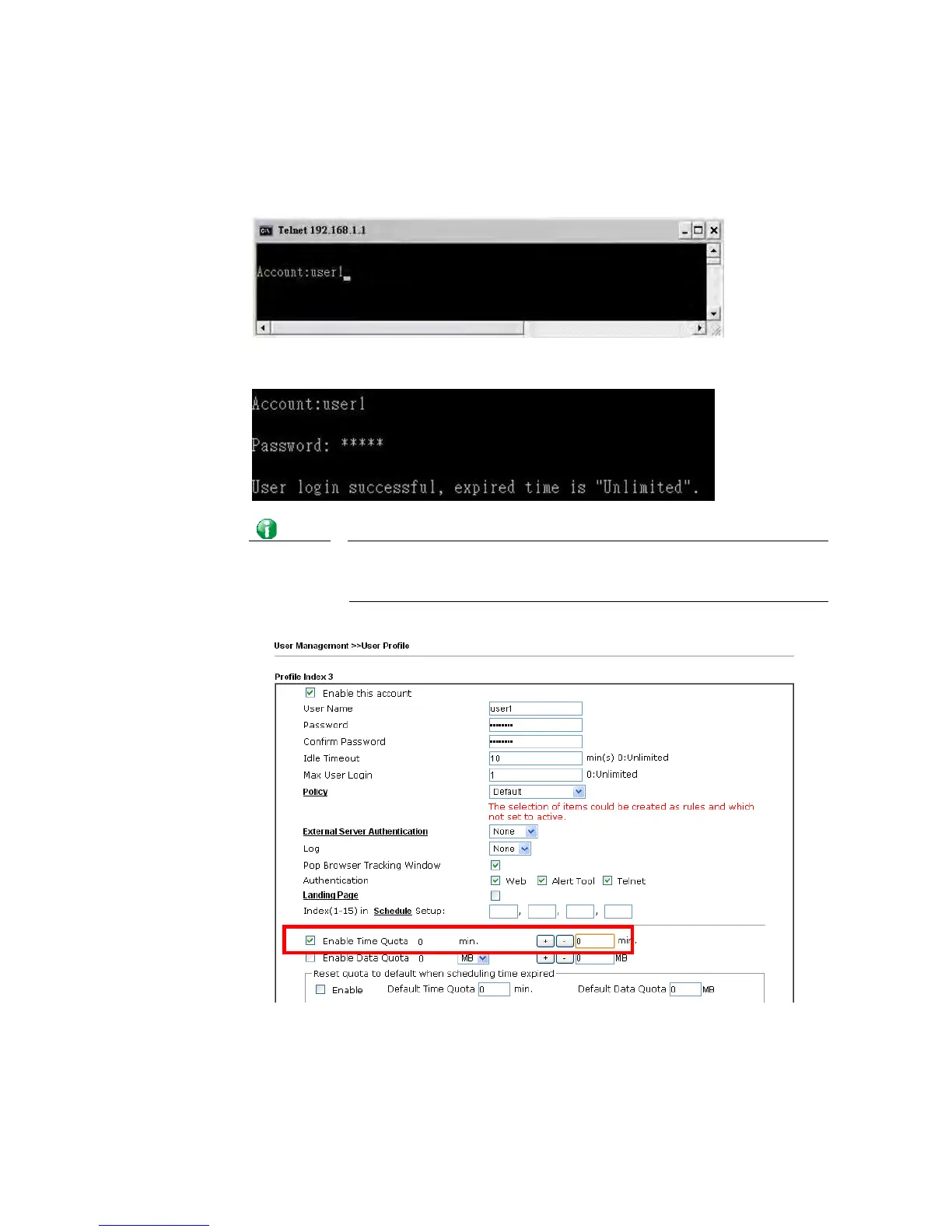
The LAN clients can also authenticate their accounts via telnet.
1. Telnet to the router’s LAN IP address and input the account name for the
authentication:
2. Type the password for authentication and press Enter. The message User login
successful will be displayed with the expired time (if configured).
Info
Here expired time is “Unlimited” means the Time Quota function is not
enabled for this account. After login, this account will not be expired
until it is logout.
3. In the Web interface of router, the configuration page of Time Quota is shown as below.














 To Next Page