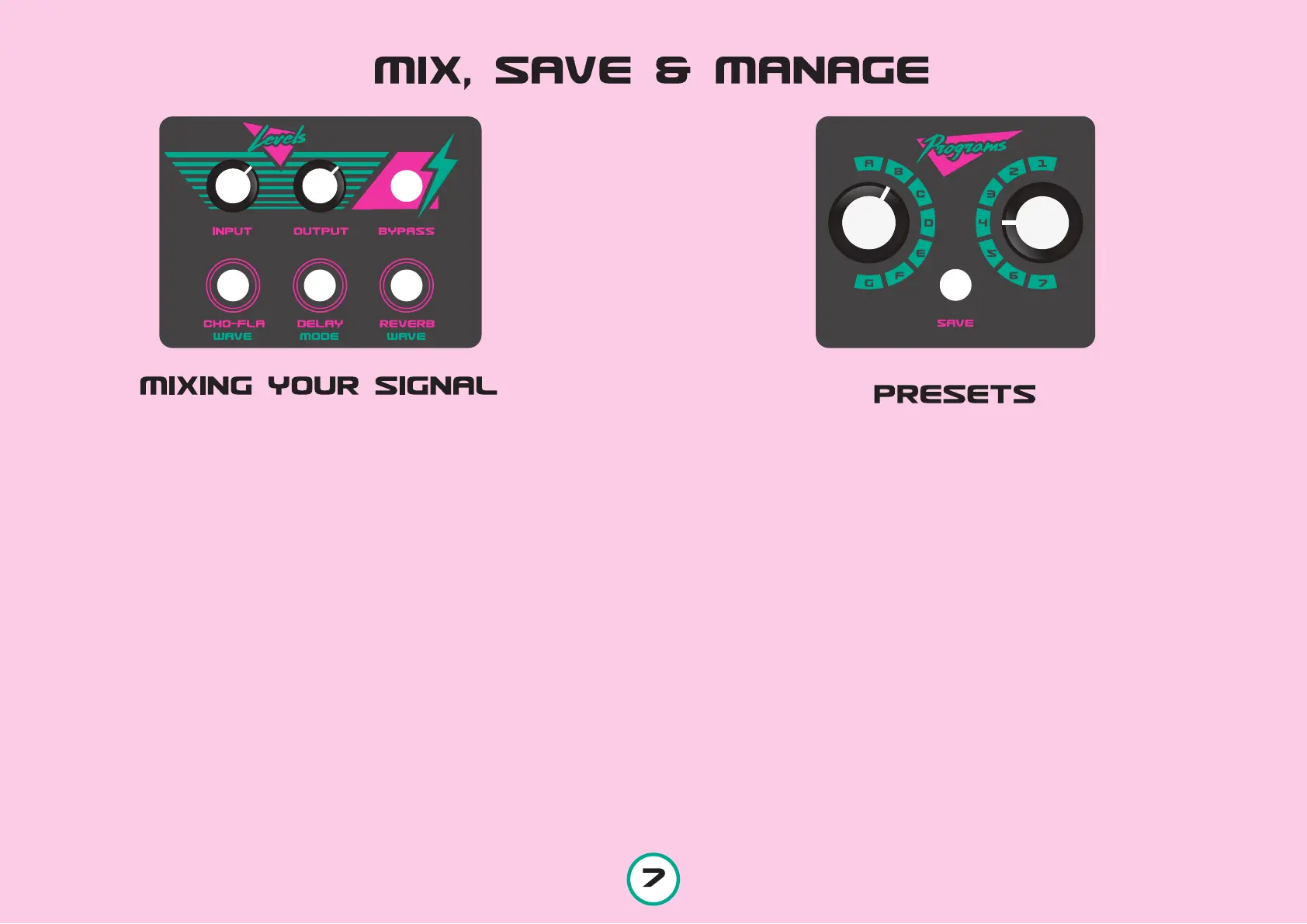
INPUT LEVEL When an instrument / other signal gener-
ating device is inserted, the first thing you will need to do is to
set its Input Level. With the Output Level all the way down play
your most loud sound. The Input should be set so as the Peak
Level Indicator, which is placed inside the unit, barely blinks
here and there.
OUTPUT LEVEL With the Bypass button at the OFF stage
(LED is off) and following the above procedure, set the Output
Level at your desired amount.
BYPASS When the LED of the Bypass button is OFF, the unit
is at a bypass stage, meaning that no matter what you do with the
effect controls, no effect will be applied to your original sound.
When by pushing the Bypass button lights up, the effect is ON.
CHO-FLA When the button is lit, the Chorus-Flanger effect is
engaged.
DELAY When the button is lit, the Delay effect is engaged.
REVERB When the button is lit, the Spring Reverb effect is
engaged.
SAVE
A. Press the SAVE button once
B. The SAVE button is now blinking.
C. Choose your desired slot simply by turning the rotary switches.
(on the picture we will save a preset in B4)
D. Press the SAVE button again and you are done.
COPY
A. Choose the Preset you want to copy
B. Press the SAVE button once
C. The SAVE button is now blinking.
D. Choose your desired slot simply by turning the rotary switches.
E. Press the SAVE button again and you are done.
RECALL
Just set the rotary switches to your desired slot.
IMPORTANT! Recalling a preset occurs instantly and that can be used for
musical purposes, but if you do not care about where you save your
presets, and you have to jump more than 2 presets while performing,
unwanted results might occur.



 To Next Page