Need help?
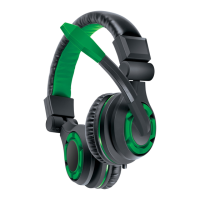
Do you have a question about the DreamGEAR BROADCASTER HEADSET FOR PS4 and is the answer not in the manual?
Ensure the headset is worn over the top of the head, with the microphone positioned correctly for optimal use.
Refer to your PlayStation 4 console's User Guide for setting up the headset for online chat.
Use the volume wheel marked 'VOL' to increase (+) or decrease (-) the audio volume.
Slide the mic switch marked 'MIC' to MUTE to silence the microphone, or to ON to unmute.
 General
| Type | Over-ear |
|---|---|
| Microphone | Yes |
| Volume Control | Yes |
| Ear Cushion | Foam |
| Microphone Mute | Yes |
| Compatibility | PS4 |
| Connectivity | Wired |


 To Next Page