EasyManua.ls Logo

Dreams To Go ASANTE - User Manual

Dreams To Go ASANTE
14 pages
Print Icon
To Next Page IconTo Next Page
Loading...
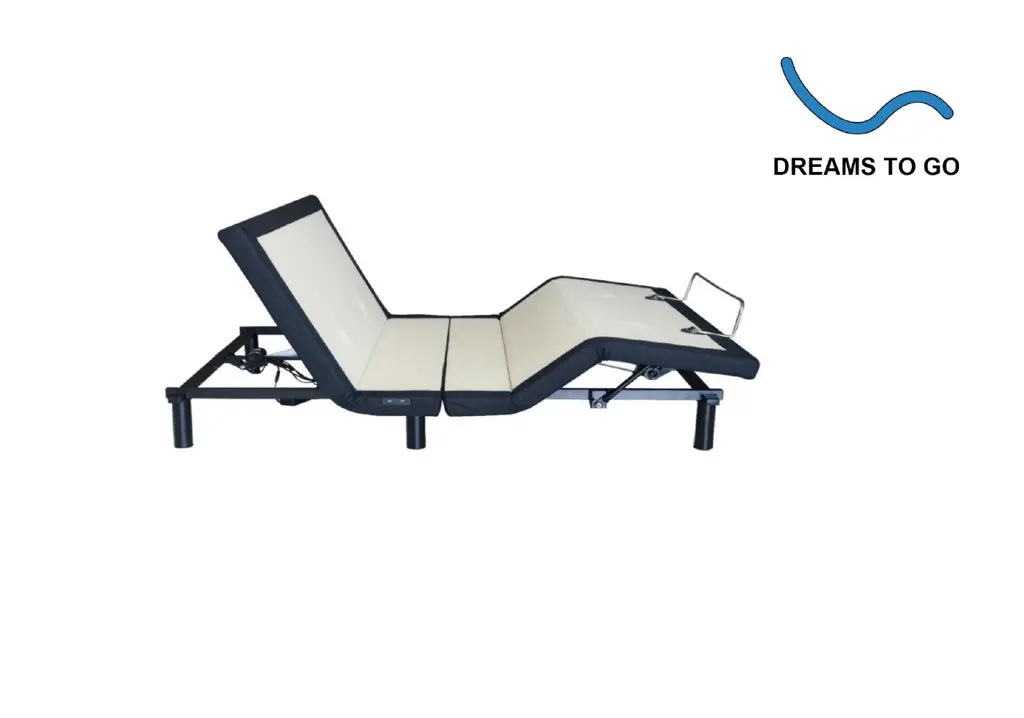
ASANTE
PREMIER PLUS ELECTRICAL ADJUSTABLE BED BASE
OWNER'S MANUAL

Questions and Answers

  • D
    David MorseAug 1, 2025
    How to fix adjustable bed function that does not work on Dreams To Go ASANTE Indoor Furnishing?
    • J
      Joseph PatelAug 1, 2025
      If your Dreams To Go Indoor Furnishing adjustable bed function isn't working, first check the power cord connection. If the power cord or control line is damaged, replace it. Also, check and replace the wireless remote battery if it's dead, or replace the remote itself if it's faulty. Finally, if a motor isn't working, it should be replaced.
  • C
    Chris CarrollAug 5, 2025
    What to do if Dreams To Go ASANTE Indoor Furnishing bed does not respond to action command?
    • S
      Scott OwensAug 5, 2025
      If your Dreams To Go Indoor Furnishing bed does not respond after sending an action command, it's likely the control box didn't receive the command. First, confirm that the wireless remote button is pressed and check for a flashing green or yellow light on the control box. If there's no light, unplug the bed, plug it back in, and try again.
  • J
    Jeffrey GriffinAug 10, 2025
    What to do if nothing seems to be working on Dreams To Go ASANTE?
    • D
      David BarnesAug 10, 2025
      If nothing seems to be working with your Dreams To Go Indoor Furnishing, the electronic components may need a reset. Unplug the bed for an hour, then plug it back in.
  • M
    Michael EllisAug 14, 2025
    What does it mean if the red work light flashes on Dreams To Go ASANTE Indoor Furnishing control box?
    • D
      David BlankenshipAug 14, 2025
      If the red work light flashes on the control box of your Dreams To Go Indoor Furnishing and the corresponding part stops automatically after moving, the control box has detected a fault. Set the bed to "FLAT" and contact customer support.
  • J
    James GarciaAug 18, 2025
    What to do if I am unable to pair Dreams To Go ASANTE Indoor Furnishing?
    • W
      waynealvarezAug 18, 2025
      If you're unable to pair your Dreams To Go Indoor Furnishing, check if the pairing light on the control box is blinking. If it is, follow the pairing instructions. If it still won't pair, unplug the bed, plug it back in, and try the pairing process again.
  • K
    Kyle KiddAug 22, 2025
    Why is Dreams To Go Indoor Furnishing adjustable bed function running slow?
    • K
      Kelly BeanAug 22, 2025
      If your Dreams To Go Indoor Furnishing adjustable bed function runs slowly, it might be overloaded. Try reducing the weight on the bed.
  • T
    Tiffany FosterAug 27, 2025
    Why is my Dreams To Go ASANTE making excessive motor noise?
    • J
      Jo HoltAug 27, 2025
      If your Dreams To Go Indoor Furnishing is making excessive motor noise, it could be due to motor wear or damage. In this case, you should replace the motor.

Summary

Safety Precautions - Continued

Weight Limits

Bed supports up to 320 kg (700 lbs.) including mattress and bedding, evenly distributed. Exceeding limits voids warranty. Max 150 chars.

Control Box Overview

Interface and Ports

Identification of connection ports for motors, power, and LED lights, along with status indicators and pairing buttons. Max 150 chars.

Installation Guide

Assembly Steps

Step-by-step instructions for removing packing materials, installing legs, and connecting the power supply box and cord. Max 150 chars.

Wireless Remote Pairing

Pairing Procedure

Instructions for pairing the wireless remote with the adjustable bed base, including battery installation and button sequences. Max 150 chars.

Troubleshooting

Common Issues and Solutions

Guide to diagnosing and resolving common problems like bed not working, motor noise, or pairing errors with suggested solutions. Max 150 chars.

Dreams To Go ASANTE Specifications

General IconGeneral
BrandDreams To Go
ModelASANTE
CategoryIndoor Furnishing
LanguageEnglish