25
REMOTE FUNCTIONS
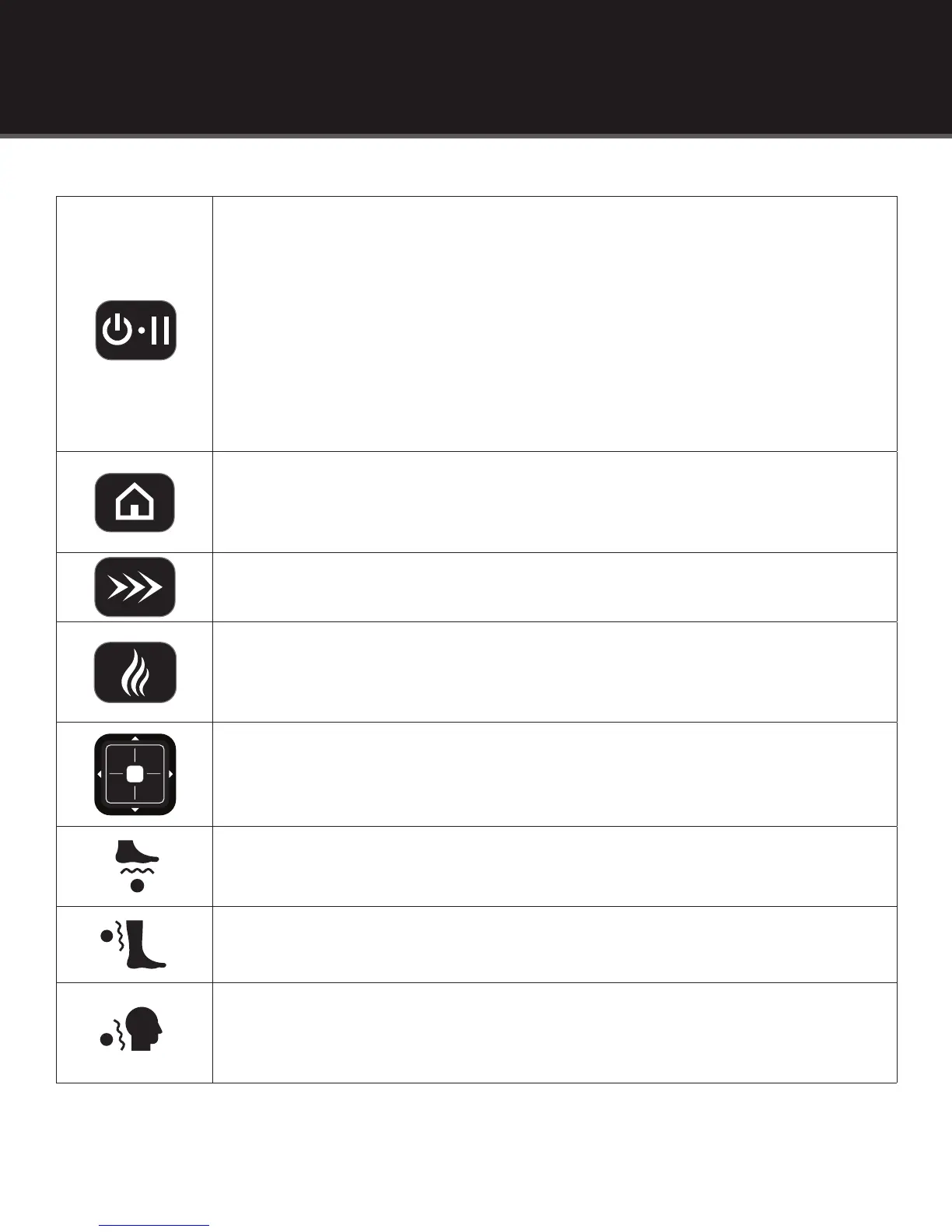
• Press to turn the remote control power on. When the power is off, the remote screen is
blank, and the Power/Pause button is not illuminated. When the power is ON, the remote
screen shows data and the Power/Pause button will glow white.
• Press and hold Power/Pause to turn the remote control power off. Doing this while the
chair is activated causes the rollers to return to their storage position, after which the chair
turns itself off.
• Quickly press and release Power/Pause when you want to pause a massage. During a pause,
the button will glow red. When the Power/Pause button is pressed again, the massage
will resume from the point the session was stopped.
• Press to activate the programmed Quick Massage session. When the Quick
Massage session is activated, this button will glow white.
• Press to access the screen/menu where you can select massage sessions, adjust massage
intensity, roller width, settings, and more.
• Press this button again to return to the home screen to view a summary of current selections.
• Use the arrows to navigate through the menu(s) on the LCD screen (up, down, left, right).
• Press to turn the heat on and off.
• When the heat is on, this button will glow red.
• Press to manually turn on and off the foot rollers.
• Press to manually turn on and off the calf massage.
• Press to manually turn on and off the neck rollers.



 To Next Page