14
Stationary Mode
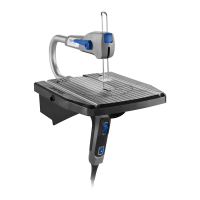
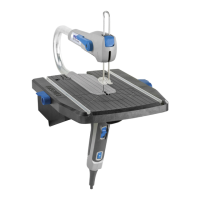
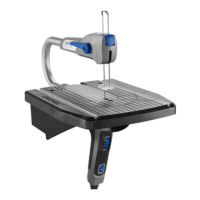
Using the Moto-Saw in stationary mode gives
you the freedom to cut with both hands
holding your work piece. In this mode you
can complete different hobby or wood
working projects by precisely cutting wood,
plastic and thin metal workpieces easily
when using the correct blade.
Never leave the switch in
"ON" position. Before
plugging the tool in, check that the
switches are "OFF". Accidental start-ups
could cause injury.
1. Make sure the base is securely attached to
a flat work surface with the help of the
clamps provided or secured with screws.
2. Adjust the variable speed dial based on
the blade and material you are going to
cut. You can refer to the chart on page 18
to determine the proper speed. This chart
enable you to select both the correct
accessory and the optimum speed at a
glance. In order to reduce vibrations when
cutting plastics and sheet metal, place
your workpiece on top of a piece of
cardboard as a dampener. Cut through
both materials for a cleaner, more accurate
cut.
3. Take the work piece to the tool.
Keep hands away from
cutting area. Do not hand-
hold pieces so small that your fingers go
under the drop foot. Do not reach
underneath work or in blade cutting path
with your hands and fingers for any
reason. Close hand proximity to the blade
may result in blade contact and injury.
4. Press down the hold down foot onto your
work piece to prevent it from bouncing.
Never start the tool when
the blade is in contact with
the workpiece. Allow the motor to come
up to full speed before starting a cut.
Having the blade in contact with the
workpiece on start up may cause loss of
control.
5. Turn the tool ON and let the tool come up
to speed before contacting the work piece.
The tool is switched "ON" by the slide
switch located on the front of primary
handle.
TO TURN THE TOOL "ON", slide the
switch button up.
Do not force the saw into
and through the
workpiece. Cut accuracy may be
compromised and the blade may break from
excessive force.
6.When the cut is complete, move the
trailing edge of the workpiece beyond the
hold down foot and turn the switch to OFF.
TO TURN THE TOOL "OFF", slide the
switch button down.
!
WARNING
!
WARNING
!
WARNING
!
WARNING
5. Slowly feed the workpiece into the blade
while guiding the cut.
Do not force the saw into
and through the
workpiece. Cut accuracy may be
compromised and the blade may break from
excessive force.
6. When the cut is complete, move the tool
and blade clear of the workpiece and turn
the switch to OFF.
TO TURN THE TOOL "OFF", slide the
switch button down.
!
WARNING
www.GlobalTestSupply.com
Find Quality Products Online at: sales@GlobalTestSupply.com


 To Next Page