5
Filter Replacement Diagram and Instructions
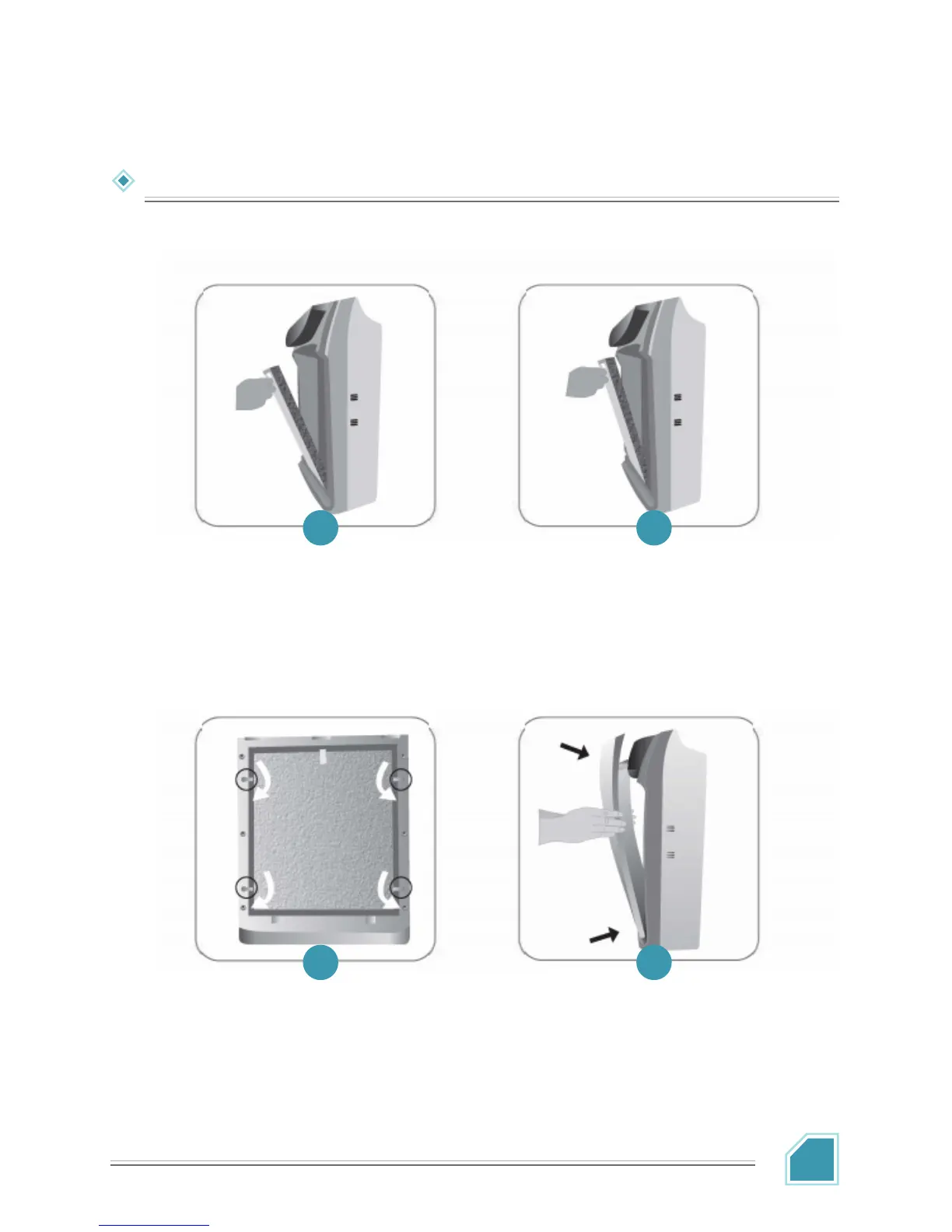
Place Filter 2 (Antimicrobial
Filter and HEPA Compound
Filters) back into the inner side
of the product. Note: Ensure the
tab side is facing you.
Make sure the filters are
installed in position. Turn the
buckles to secure the filters.
To install the front panel, place
the bottom part into the host
buckle and close the front
panel. The front panel will be
held by built-in magnets.
Place Filter 1 (Cold Catalyst and
Activated Carbon. Compound
Filters) back into the inner side
of the product. Note: Ensure the
tab side is facing you
1
3 4
2


 To Next Page