12
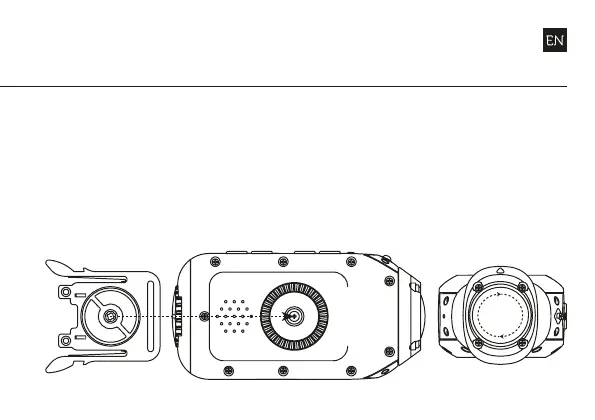
mounting the camera
1. Attach the Universal Clip
to the camera in any 360°
orientation as needed—
first position the clip in
the desired orientation,
then secure by rotating
the screw base by hand
2. Slide the Universal Clip
into your chosen mount,
ensuring that it ‘clicks’
into place
3. Check screen alignment,
rotating the lens by hand
as necessary to realign
your shot, using the
lens marker as an ‘up’
reference


 To Next Page