EasyManua.ls Logo

Drive 10220-1WW - User Manual

Default Icon
2 pages
Print Icon
To Next Page IconTo Next Page
Loading...
custom walker adjustments
With your arm extended down,
handle should be at wrist height.
With your hand placed on
the hand-grip, your elbow
should be flexed 20˚- 30˚.
CAUTION:
Be aware of the following:
- Electrical cords in way
- Liquids on floor
- Throw rugs
- Toys or debris
- Furniture
- Doors and door steps
- Gaps in floor
WARNING
1. Use wheels on front legs only or on all four
legs with appropriate rear wheel brakes.
2. Do not push one side of the walker ahead and
then other side without lifting the walker first.
3. Use Drive accessories only. Use of other
manufacturers’ accessories can result in
improper fit and risk fall and/or injury.
4. Do not use on stairs or escalators.
lifetime limited warranty
Your Drive brand product is warranted to be free of
defects in materials and workmanship for the lifetime
of the original consumer purchaser.
This device was built to exacting standards and care-
fully inspected prior to shipment. This Lifetime Limited
Warranty is an expression of our confidence in the
materials and workmanship of our products and our
assurance to the consumer of years of dependable
service.
This warranty does not cover device failure due to own-
er misuse or negligence, or normal wear and tear. The
warranty does not extend to non-durable components,
such as rubber accessories, casters, and grips, which are
subject to normal wear and need periodic replacement.
If you have a question about your Drive device or this
warranty, please contact an authorized Drive dealer.
© 2018 Medical Depot, Inc. All rights reserved.
Drive is a trademark of Medical Depot, Inc.
Port Washington N.Y. 11050 USA Made in China
maintenance
www.drivemedical.com
Rev4.5.14.19
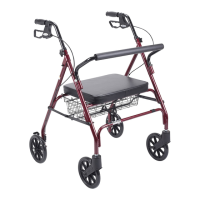
bariatric aluminum
folding walker,
two button with
heavy duty wheels
item # 10220-1WW
Drive recommends periodic visual inspection of this
product by the user, to ensure that all parts and
hardware are secure, that components are in good
working order and not worn, torn, frayed, or loose,
and that there are no obstructions or impediments
to normal, safe operation. If any part or mechanism
appears to be unsafe or compromised, do not use the
product. If you experience problems, please contact
the provider that sold you the product or visit
www.drivemedical.com/help for more info.
Question and Answer IconNeed help?

Do you have a question about the Drive 10220-1WW and is the answer not in the manual?

Summary

Custom Walker Adjustments

Safety Precautions

General safety warnings regarding potential hazards like cords, liquids, rugs, toys, furniture, doors, and floor gaps.

Operating Warnings

Key warnings for safe walker operation, including wheel usage, lifting, accessory use, and avoiding stairs.

Maintenance

Lifetime Limited Warranty

Walker Instructions

Wheelchair to Walker Transfer

Instructions for transferring from a wheelchair to a walker, ensuring wheels are locked and lifting body correctly.

Wheelchair to Walker Transfer (Lower Extremity Injury)

Procedure for transferring from a wheelchair to a walker with a lower extremity injury, detailing hand placement.

Three-Point Gait

Guide for walking with the walker using a three-point gait, including alignment and stepping instructions.

Summary

Custom Walker Adjustments

Safety Precautions

General safety warnings regarding potential hazards like cords, liquids, rugs, toys, furniture, doors, and floor gaps.

Operating Warnings

Key warnings for safe walker operation, including wheel usage, lifting, accessory use, and avoiding stairs.

Maintenance

Lifetime Limited Warranty

Walker Instructions

Wheelchair to Walker Transfer

Instructions for transferring from a wheelchair to a walker, ensuring wheels are locked and lifting body correctly.

Wheelchair to Walker Transfer (Lower Extremity Injury)

Procedure for transferring from a wheelchair to a walker with a lower extremity injury, detailing hand placement.

Three-Point Gait

Guide for walking with the walker using a three-point gait, including alignment and stepping instructions.

Overview

This document provides instructions and information for the bariatric aluminum folding walker, two button with heavy duty wheels, identified as item # 10220-1WW.

Function Description

This device is a bariatric aluminum folding walker designed to assist individuals with mobility. It features a two-button folding mechanism for portability and heavy-duty wheels for ease of movement. The walker is intended to provide support and stability during walking and transfers.

Important Technical Specifications

  • Model Number: 10220-1WW
  • Weight Capacity: 600 LBS
  • Material: Bariatric aluminum
  • Folding Mechanism: Two-button
  • Wheels: Heavy-duty wheels (can be used on front legs only or on all four legs with appropriate rear wheel brakes).

Usage Features

Custom Walker Adjustments:

  • Handle Height: With your arm extended down, the handle should be at wrist height.
  • Elbow Flexion: With your hand placed on the hand-grip, your elbow should be flexed 20°-30°.

Transfer Techniques:

  • Wheelchair to Walker Transfer (General):

    1. Ensure wheelchair wheels are locked.
    2. Lift your body by pushing down on the armrests.
    3. Carefully transfer one hand at a time to the walker.
  • Wheelchair to Walker Transfer (with lower extremity injury to right leg or foot):

    1. Ensure wheelchair wheels are locked.
    2. Lift your body by pushing down on the armrests.
    3. Carefully transfer the left hand first, then the right hand to the walker.
    4. If the injury is to the left leg or foot, transfer the right hand first, followed by the left.

Three-Point Gait (for walking with walker):

  • Step 1: Align the middle of your foot with the back legs of the walker.
  • Step 2: Slide the walker forward and place it comfortably in front of you.
  • Step 3: Carefully, walk forward one step at a time.

Warnings and Cautions:

  • WARNINGS:
    1. Use wheels on front legs only or on all four legs with appropriate rear wheel brakes.
    2. Do not push one side of the walker ahead and then the other side without lifting the walker first.
    3. Use Drive accessories only. Use of other manufacturers' accessories can result in improper fit and risk fall and/or injury.
    4. Do not use on stairs or escalators.
  • CAUTION (Be aware of the following):
    • Electrical cords in the way
    • Liquids on the floor
    • Throw rugs
    • Toys or debris
    • Furniture
    • Doors and door steps
    • Gaps in the floor

Maintenance Features

General Maintenance:

  • Drive recommends periodic visual inspection by the user to ensure:
    • All parts and hardware are secure.
    • Components are in good working order and not worn, torn, frayed, or loose.
    • There are no obstructions or impediments to normal, safe operation.
  • If any part or mechanism appears unsafe or compromised, do not use the product.
  • For problems, contact the provider who sold you the product or visit www.drivemedical.com/help for more information.

Lifetime Limited Warranty:

  • Coverage: Your Drive brand product is warranted to be free of defects in materials and workmanship for the lifetime of the original consumer purchaser. This device was built to exacting standards and carefully inspected prior to shipment. This Lifetime Limited Warranty is an expression of confidence in the materials and workmanship of products and an assurance of years of dependable service.
  • Exclusions: This warranty does not cover device failure due to:
    • Owner misuse or negligence.
    • Normal wear and tear.
    • Non-durable components such as rubber accessories, casters, and grips, which are subject to normal wear and need periodic replacement.
  • Warranty Inquiries: If you have a question about your Drive device or this warranty, please contact an authorized Drive dealer.

Manufacturer Information:

  • ©2018 Medical Depot, Inc. All rights reserved.
  • Drive is a trademark of Medical Depot, Inc.
  • Port Washington N.Y. 11050 USA
  • Made in China
  • Revision: Rev4.5.14.19

Drive 10220-1WW Specifications

General IconGeneral
BrandDrive
Model10220-1WW
CategoryMobility Aid
LanguageEnglish

Related product manuals