4
Bremsen – Braking / Parking
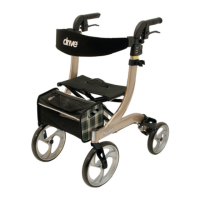
Zum Bremsen während des Gehens mit dem Rollator
beide Bremsgriffe mit den Händen nach oben ziehen
(siehe Bild).
Immer langsam und gleichmäßig mit beiden Händen
bremsen.
For braking the walking device pull both brakes upwards
to the handgrip (see picture).
Always brake slowly and steady.
Zum Feststellen/Parken des Rollators beide Brems-
griffe nach unten drücken bis sie hörbar einrasten
(siehe Bild)!
Zum Entriegeln der Bremse beide Bremsgriffe wieder
nach oben ziehen bis sie entriegelt sind (Bremsgriffe
sind in mittlerer Position).
For parking the walking device press down the brakes
until they click in the parking position (see picture).
For unlocking the brakes pull them upwards towards
the handgrips until they are unlocked (both brakes are
in a middle position).
Die Bremswirkung kann durch die Abnutzung der
Reifen beeinträchtigt werden. Deshalb Bremswirkung
regelmäßig prüfen.
The effect of the brakes can be affected by abrasion of
the wheels. Therefore test regularly the brakes.
6
7
8
9


 To Next Page