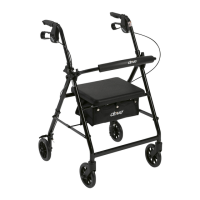
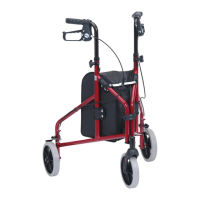
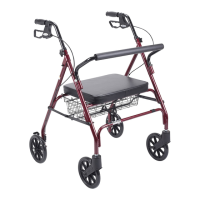
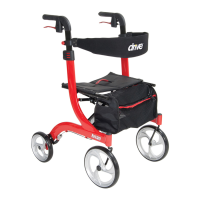
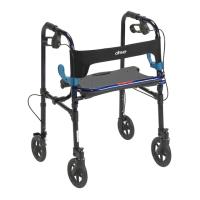
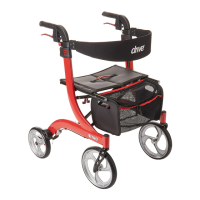
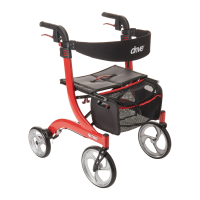
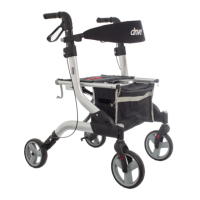
The Dynamic Rollator is a walking aid designed for single users with limited mobility, suitable for both indoor and outdoor use. It is available under several item numbers: Q-011000, Q-012000, Q-154000, Q-172000, and Q-848000.
Technical Specifications
The rollator has a weight capacity of 300 lbs (136 kg). The maximum load for the carry bag is 11 lbs.
Components
The Dynamic Rollator includes the following parts:
- Handgrip: For user support and control.
- Adjustable tubing handgrip: Allows for height adjustment to suit individual user needs.
- Rear reflector on handgrip: Enhances visibility for safety.
- Brake lever: Used for applying brakes and locking the rollator.
- Interlock button for handgrips: Secures the handgrips in place after adjustment.
- Backrest: Provides support when sitting.
- Seat: Allows the user to rest.
- Bag: For carrying personal items.
- Front wheel: Provides maneuverability.
- Rear wheel: Provides stability.
- Cane Holder: For conveniently carrying a cane.
Assembly Instructions
- Unpacking: Remove all contents from the carton.
- Front Wheel Installation: Insert each front wheel into its receptacle on the front of the frame until a click is heard, indicating it is securely in place.
- Back Wheel Installation: Depress the push pin on each back wheel and slide it into the back receptacle of the frame, ensuring the wheels face outwards. The push pin will snap into place when secure.
- Unfolding: Unfold the rollator by pressing down on both sides of the seat frame.
- Handle Installation: Insert the handles into the handle receptacles. Press the red buttons on the back of the rollator and slide the handles into the frame to secure them.
- Bag Attachment: Slide the bag into the grooves on the inside of the seat frame. Secure it by sliding the knobs into the end of the frame and rotating them. Attach the clasp to the receptacle on the outside of the frame. Folding the rollator slightly can make this step easier.
- Backrest Attachment: Slide the backrest hooks down into the receptacles located on the front of the frame.
- Cane Holder Attachment: Slide the cane holder down over the receptacle located on the side of the frame, near the handle height adjustment buttons.
Usage Features
Height Adjustment
To adjust the handgrip height:
- Press the red release buttons on the handgrips.
- Pull the handgrip upwards at the same time.
- Release the button as the handle moves; it will automatically lock into the next possible height.
- Repeat until the desired height is reached.
Braking and Locking
- Applying Brakes (while moving): Pull both brake levers upwards to apply the brakes. Always brake slowly and steadily.
- Applying Locks (while stationary): Press both brake levers down to apply the locks.
- Releasing Locks: Pull up the brake levers to release the locks.
- Brake Testing: Regularly test the brakes, as their effectiveness can be affected by wheel abrasion. When wheels are locked, the lock bar on the rear wheels should prevent them from turning. When locks are released, the wheels should turn freely.
Sitting
- Position the Dynamic Rollator on an even and solid surface.
- Lock the brakes (parking position).
- Ensure the rollator is stable and will not slip.
- Sit straight up and do not lean backwards.
- Important Safety Note: DO NOT MOVE ROLLATOR WHILE SEATED.
Folding, Transport, and Storage
- To fold, pull the seat upwards by the red handle on the seat plate.
- Once folded, the rollator can be secured completely using the safety clasp.
Safety Instructions
- Use the device only as a walking aid.
- Always use on even and solid surfaces.
- Do not exceed the maximum user weight of 300 lbs.
- Regularly check and retighten all screws and fasteners.
- The carry bag is for transport of objects only; do not overload it (maximum load: 11 lbs).
- Avoid exposing the product to temperatures above 104°F for extended periods, as this can cause parts to overheat and potentially burn the user.
- Before use, ensure the rollator is fully opened, the seat is down, and the folding bar under the seat is locked in the down position.
- Verify that both knobs are fully tightened and at equal heights. Test the rollator's stability before applying full weight to the handgrips.
- Test the brake lever before operating.
- Always lock the brake lever before sitting.
- Do not use the seat on an incline or uneven ground.
- Replace tires when significantly worn or damaged.
- Critical Safety Note: DO NOT MOVE ROLLATOR WHILE SEATED. This device is a walking aid only and is not intended for use as a transportation device.
Maintenance Features
- Cleaning: Clean the rollator regularly by hand with a damp cloth. Do not use aggressive detergents.
- Brake Testing: Regularly test the brakes to ensure proper function.
- Fastener Checks: Periodically check and retighten all screws and fasteners.
- Tire Replacement: Replace tires if they become significantly worn or damaged.
Lifetime Limited Warranty
The frame of the Drive Medical product is warrantied against defects in material and workmanship for the lifetime of the original consumer purchaser. The brake handle and housing are covered for 5 years from the date of purchase.
This warranty does not cover device failure due to owner misuse, negligence, or normal wear and tear. Non-durable components such as rubber accessories, casters, and grips, which are subject to normal wear and require periodic replacement, are not covered.
For warranty questions, contact Drive Medical toll-free at 877-224-0946.

 Need help?
 General

 To Next Page