EasyManua.ls Logo

Drobo Elite - Preparing for Migration and Moving the Disk Pack; Shut Down Source Drobo; Remove Drives from Source Drobo

Drobo Elite
7 pages
Print Icon
To Next Page IconTo Next Page
To Previous Page IconTo Previous Page
Loading...
Drobo How-To Guide
Migrating a Disk Pack Between Drobo iSCSI SAN Systems
drobo.com | Migrating a Disk Pack between Drobo iSCSI SAN systems
2
Preparing for Migration and Moving the Disk Pack
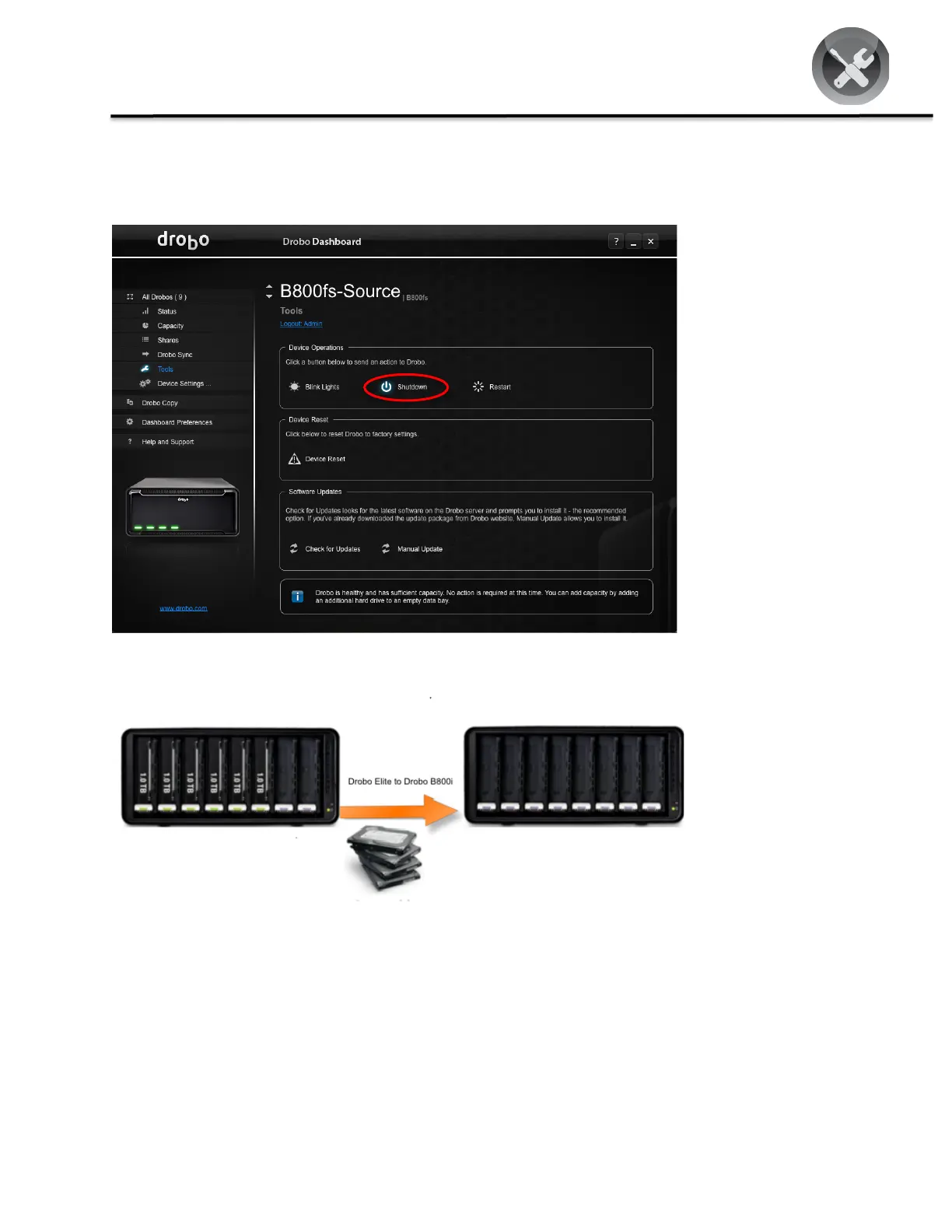
STEP 1
Shut down the existing
Drobo system. In Drobo
Dashboard, select
Tools > Shutdown
(circled in red).
Ensure that all lights
on the Drobo are off
before performing the
next step.
STEP 2
Now, simply remove
all of the drives from
the source Drobo.
Since Drobo is slot
independent, you don’t
need to keep track of
which drives came out
of which slots when
you re-insert them into
the destination Drobo.

Related product manuals