Drobo How-To Guide
Migrating a Disk Pack Between Drobo iSCSI SAN Systems
drobo.com | Migrating a Disk Pack between Drobo iSCSI SAN systems
Mounting VMFS Datastores after Migration
As part of the disk pack migration process, LUNs from the Drobo will appear to VMware as snapshots. VMFS
datastores on your existing volumes detected by VMware as snapshot LUNs can be mounted using one of the
following options:
• Resignature the VMFS datastore and mount it on the selected host. Subsequent VMFS refresh is required on
other hosts to see this newly resignatured datastore.
• Keep the existing signature of the VMFS datastore and mount it on the selected host, also known as “force
mounting” a VMFS datastore.
The steps in this section describe the second option, keeping signature(s) of the VMFS datastore(s).
STEP 1
Connect directly to the ESX host service console, logging in as root
STEP 2
NOTE: The “Can mount” value must be “Yes” before you can proceed to the next step.
STEP 3
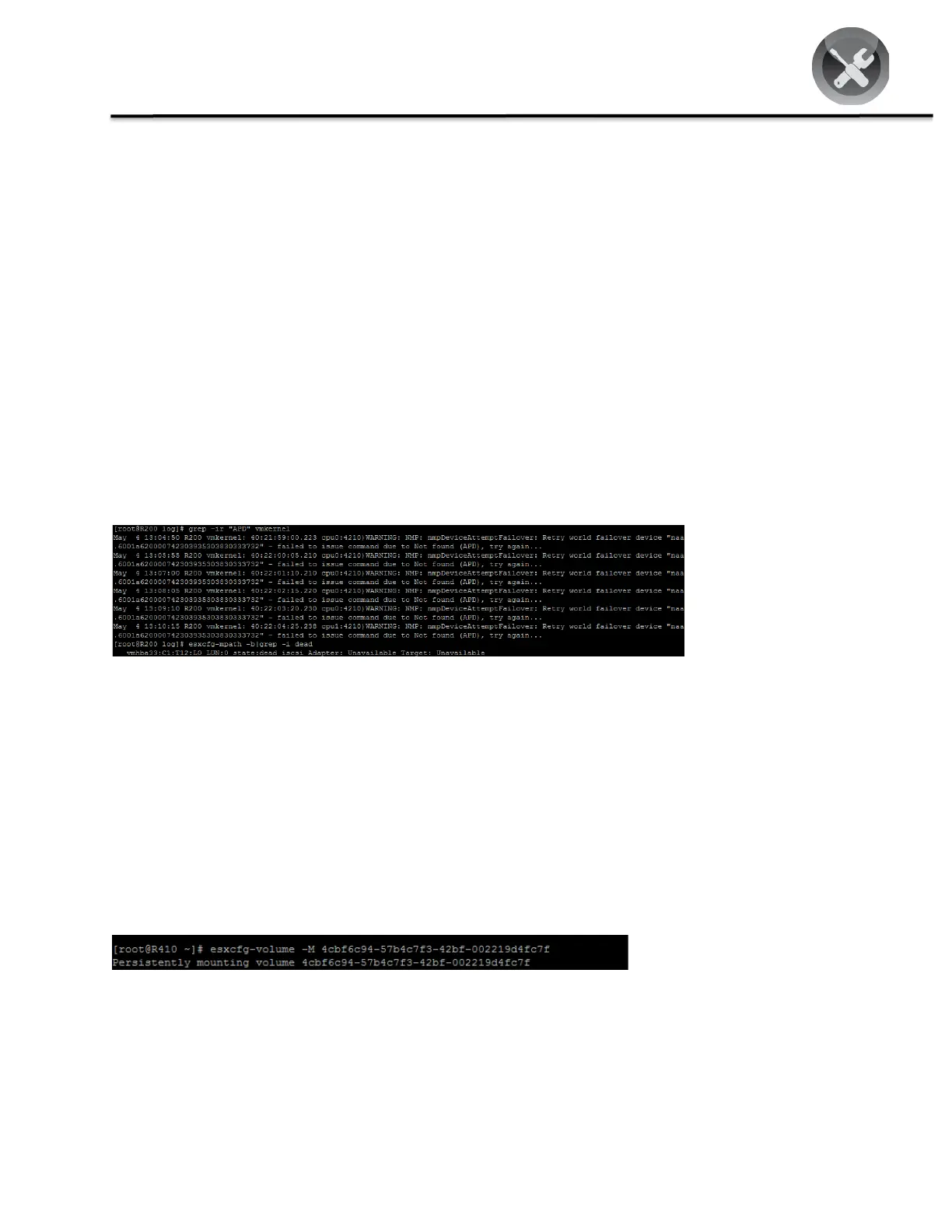
Record the UUID portion of the output to be used in the next step. In this example, one of the UUIDs is 4cbf6c94-
57b4c7f3-42bf-002219d4fc7f.
STEP 4
Run the command: esxcfg-volume -M <UUID>
Where <UUID> is the value recorded in Step 3.
NOTE: If you do not wish the volume mount to persist after reboot, use the –m switch instead.



 To Next Page