EasyManua.ls Logo

Drobo Elite - Rescan and Reboot ESXi Host for Path Issues

Drobo Elite
7 pages
Print Icon
To Next Page IconTo Next Page
To Previous Page IconTo Previous Page
Loading...
Drobo How-To Guide
Migrating a Disk Pack Between Drobo iSCSI SAN Systems
drobo.com | Migrating a Disk Pack between Drobo iSCSI SAN systems
5
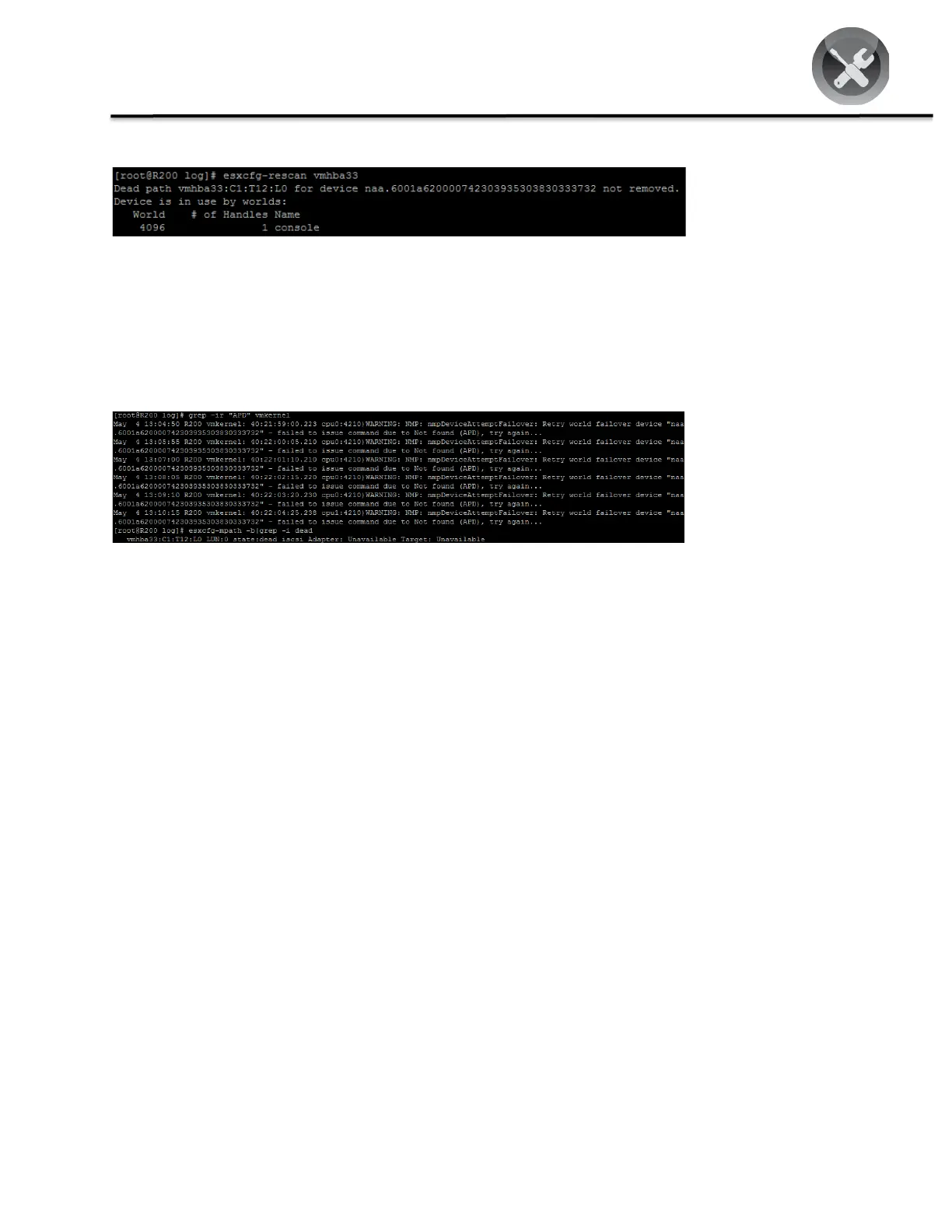
STEP 3
To perform ESX/ESXi
host rescan, run the
command esxcfg-
rescan vmhbaxx
where xx is the unique
ID, in this example, 33.
If any syntax is returned, it means that there is a dead path and you must reboot the ESX/ESXi host. If reboot is not
required, proceed to the next step.
STEP 4
To verify the all paths-
down (APD) state due
to a dead path, run
grep -ir "APD"
vmkerne
The APD state is a condition in which no working path exists to a storage device (LUN). In this case, it is a result of
migrating the disk pack from DroboElite to Drobo B800i. Reboot the ESX/ESXi host, ensuring that no VM is active
before rebooting.

Related product manuals