Drobo How-To Guide
Migrating a Disk Pack Between Drobo iSCSI SAN Systems
drobo.com | Migrating a Disk Pack between Drobo iSCSI SAN systems
Preparing to Resignature Volumes
When a LUN is presented to an ESX/ESXi host, it gets a signature in the form of a Universally Unique Identifier
(UUID). This UUID uses the MAC address of the physical port and thus must be updated when the physical MAC
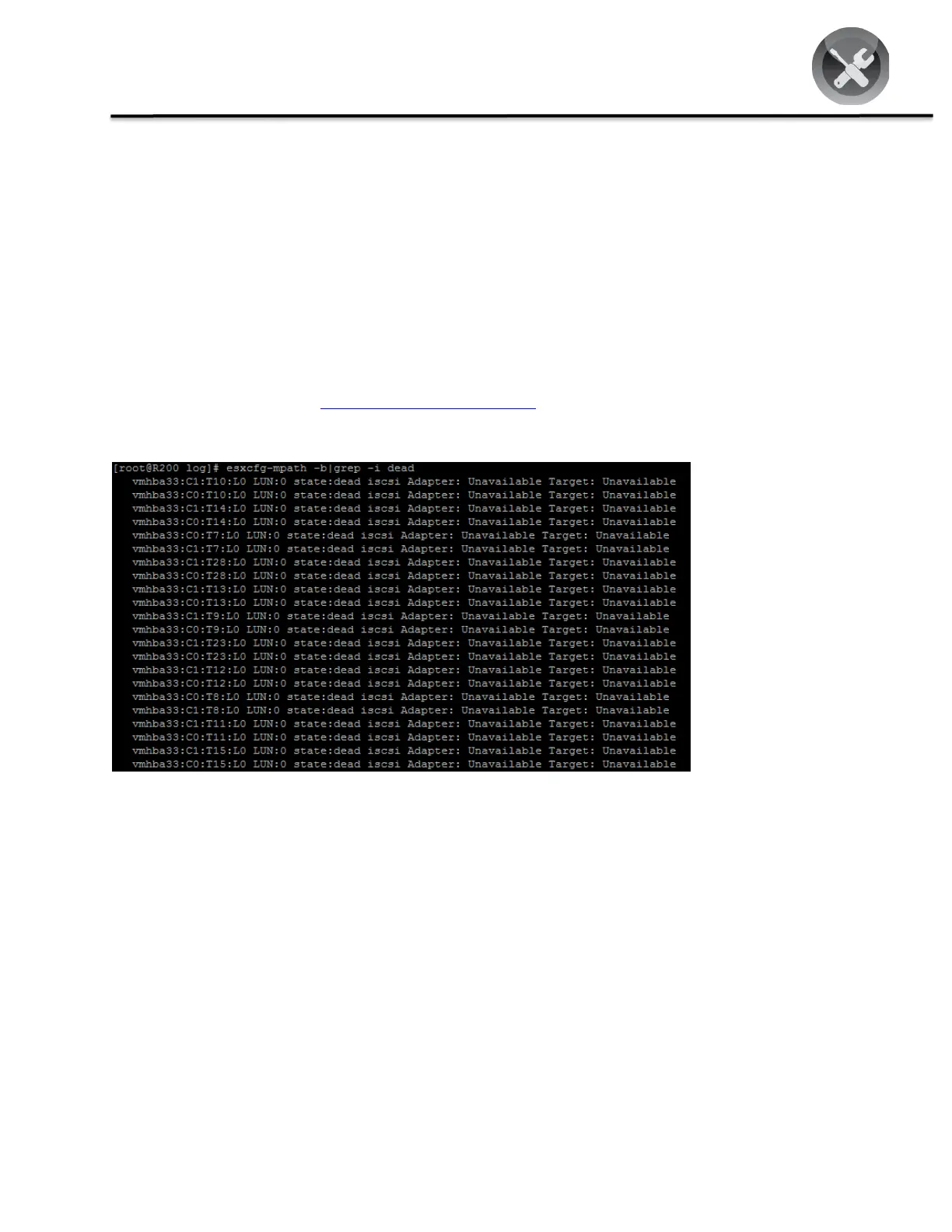
address changes after a disk pack migration. This process using the VMware command line will find “dead paths”
and update them as necessary.
STEP 1
Open a terminal session to the ESX/ESXi Server host and log in as root. If for any reason you are unable to connect to
an ESX/ESXi Server host via an SSH session, refer to the VMware KB article “Unable to connect to an ESX host using
Secure Shell (SSH) (1003807)” @ http://kb.vmware.com/kb/1003807.
STEP 2
This will return any “dead paths” that may have resulted from the disk pack migration due to a change in Universal
Unique ID (UUID). The ESX host uses a unique identifier to reference the volume. The name you specify when you
create a VMFS volume is a user-defined device name that is a symbolic link to the UUID of the VMFS volume (done to
solve the problem of changing the device name). When you change the volume name you are changing only the user-
defined device name and not the volume UUID.



 To Next Page