drobo.com | Getting Started Guide for Your Drobo / Pro / S |
23
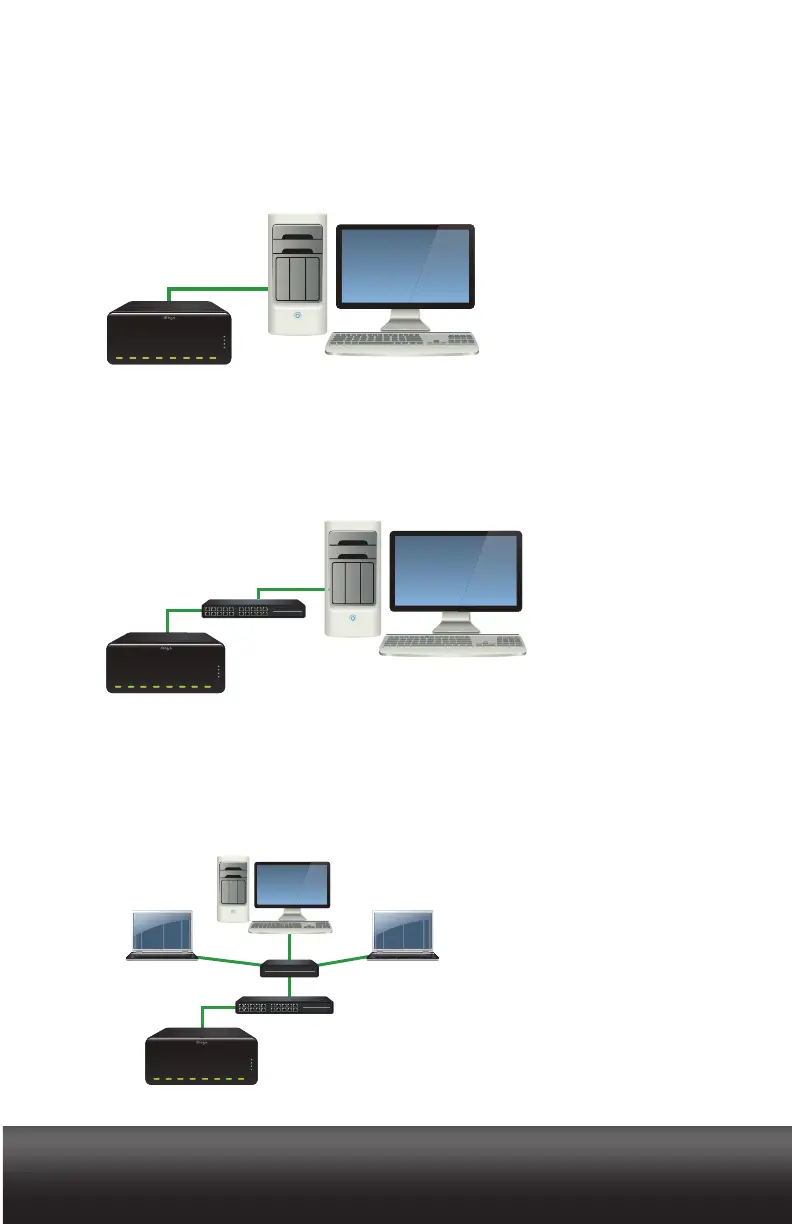
With iSCSI, you have the option to set up your DroboPro in one of three configurations:
1. Directly connect DroboPro via its iSCSI (Ethernet) connection to your computer’s
Ethernet port for optimal performance. This assumes you have a second Ethernet
port available on your computer which is being used to connect to your network.
2. Connect your DroboPro via its iSCSI (Ethernet) connection to a switch in which
another Ethernet port on the switch is connected to your computer. Note that in this
configuration, you will need to manually set an IP address for your DroboPro using
your USB connection.
3. Connect your DroboPro via its iSCSI (Ethernet) connection to a switch (or router) in
which another Ethernet port on the switch (or router) is connected to your network.
Note that in this configuration, you will need to manually set an IP address for your
DroboPro using your USB connection.



 To Next Page