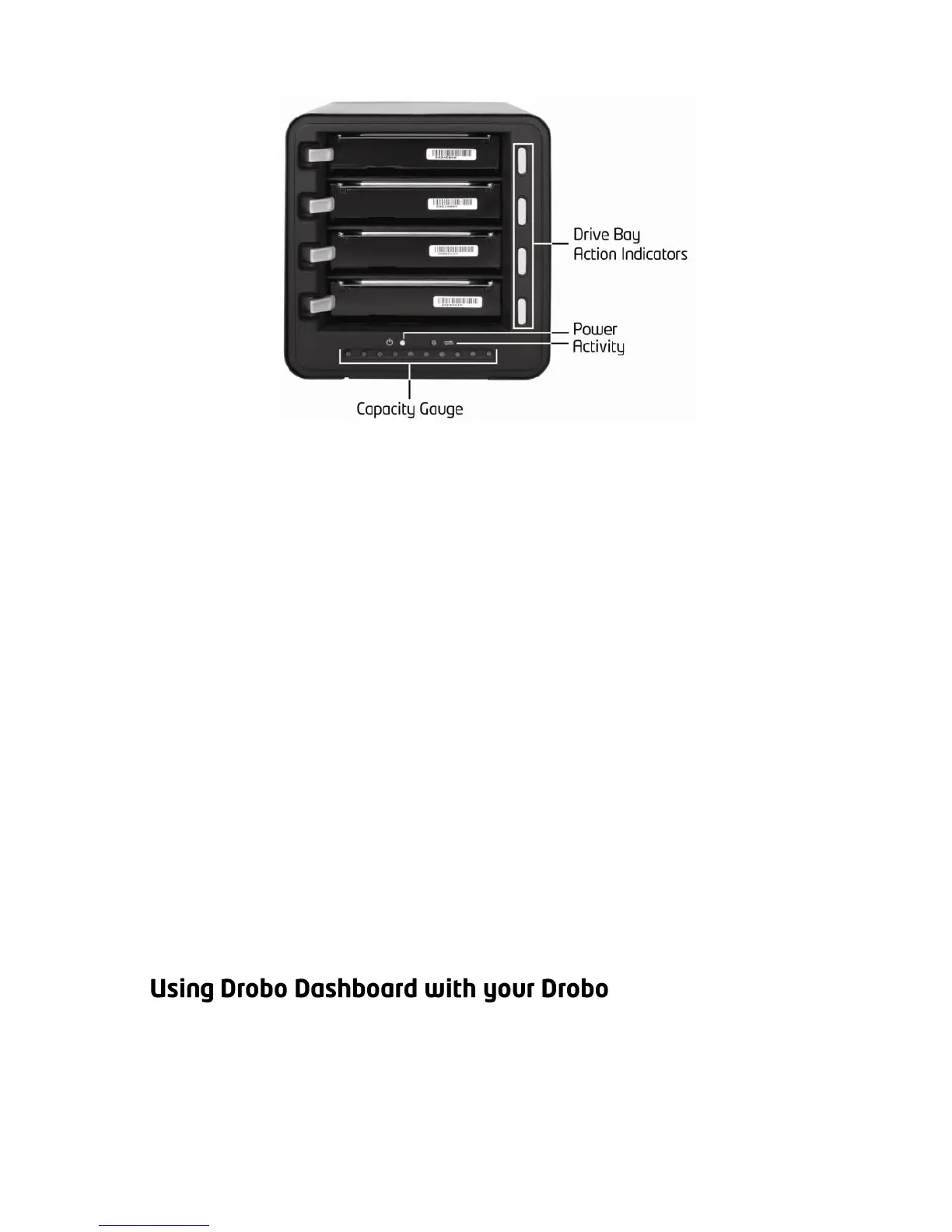
Green: No action is required. All drives are healthy.
Solid Yellow: Add a drive or replace the current drive
with a larger drive soon. Drobo is running out of disk
space.
Blinking Yellow and Green: Do not remove these
drives or power down. Drobo is working to protect
your data.
Solid Red: Add a drive or replace the current drive
with a larger drive immediately. Drobo is critically
low on space.
Blinking Red: Replace this drive immediately. This
drive has failed and needs to be replaced.
Green: The power is on and Drobo is ready.
Yellow: Drobo is in standby mode.
Red: Drobo has overheated. Disconnect the data
cable and then the power cable. Let it cool down and
then restart. Let it cool down and then restart.
Blinking Green: Data is actively being transferred
between your computer and Drobo.
Blue: Displays the percentage of your Drobo that is
full, in 10% increments.
The Drobo Dashboard application allows you to easily check the status,
change settings, etc., on your Drobo. See page 5 for an overview of
Drobo Dashboard.



 To Next Page