28
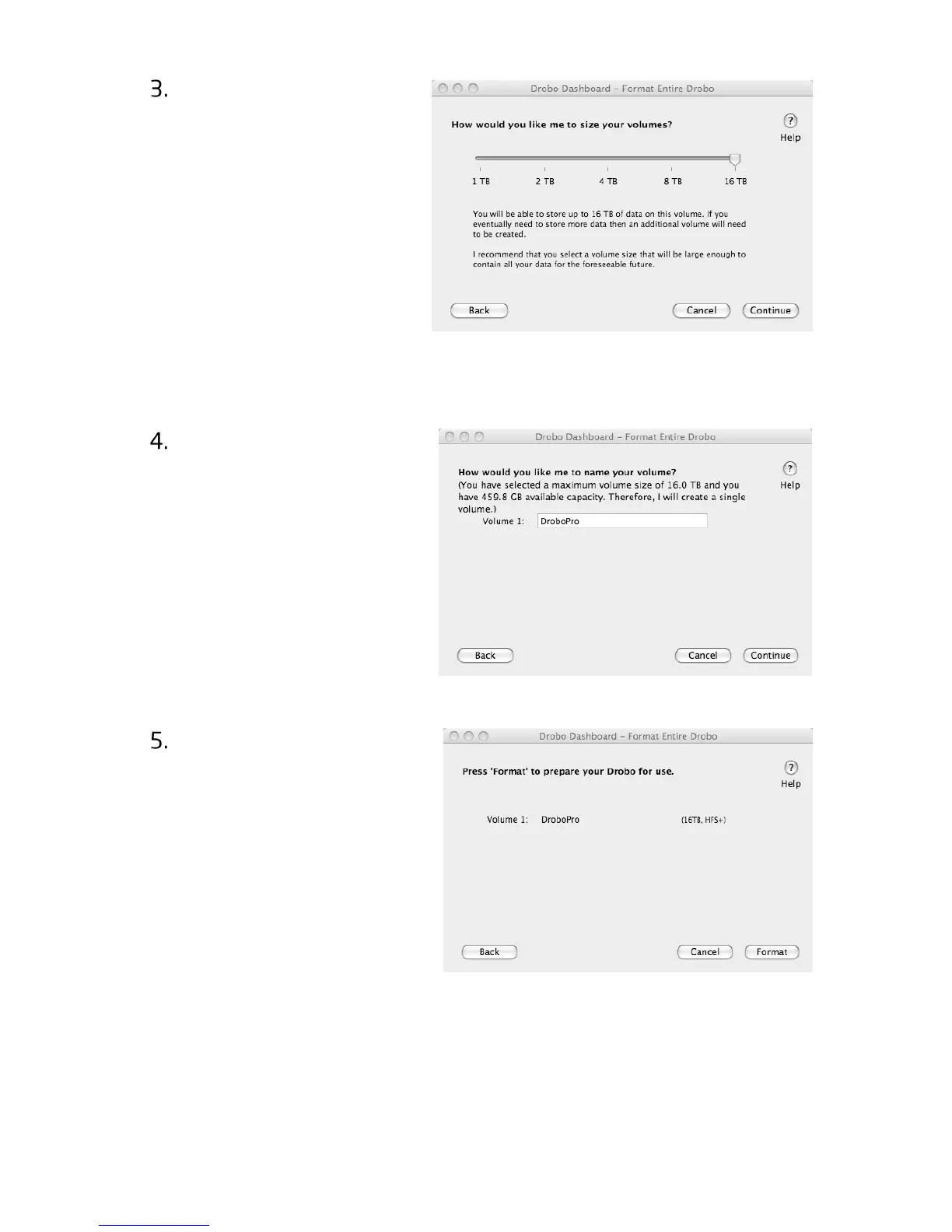
You will be shown the
message to the right
asking you to select a
volume size. The
available sizes are based
on which file system
type you picked and the
capabilities of your
operating system. We
recommend that you
pick the volume size that
will be able to store all of your files for the foreseeable future. Click
“Continue”.
Depending on your
volume selection and the
total capacity of the
drives in your Drobo, you
will be presented with
the opportunity to select
a custom name for your
volume(s). Click
“Continue”.
You will be shown a
summary of your
selections. Now click
“Format”. This process
should take a few minutes
and could cause your
DroboPro to restart.
When formatting is complete, DroboPro is ready to be used. You will be
able to access it like any other drive connected to your computer.
Tip: You can determine actual disk space usage by opening Drobo Dashboard or
checking DroboPro’s blue capacity lights.



 To Next Page