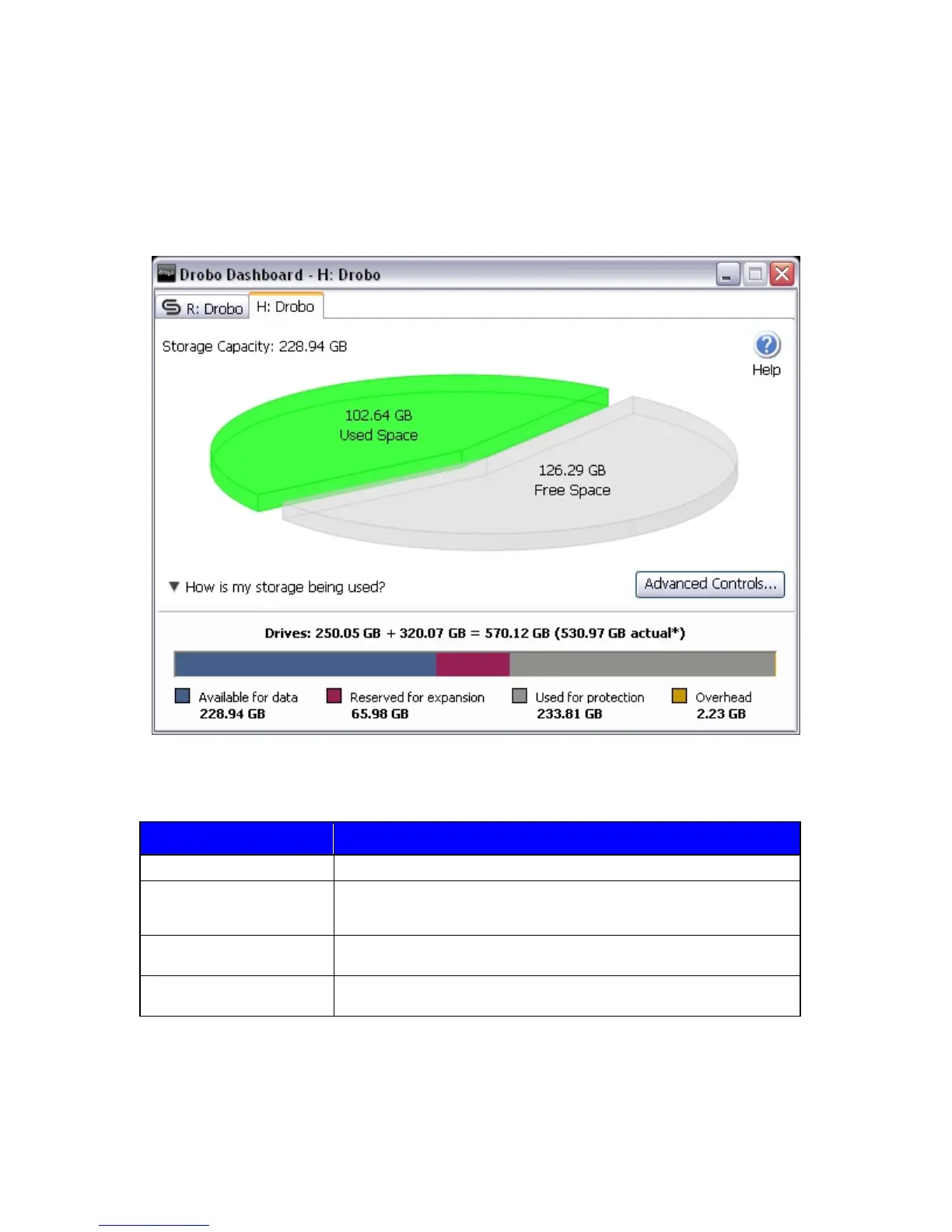
The Capacity Breakdown Bar
Drobo divides your entire storage space into four types of storage areas. Use the Capacity Breakdown Bar to view
information about how much space is allocated to those areas. To view the bar, click on "How is my storage being used?"
in the Basic Dashboard.
Item Description
Available For Data Total available protected storage space. The area where your data is stored.
Reserved For Expansion Unusable space created when a single hard drive is larger than the rest. This
space will become available when you add larger capacity hard drives, or upsize
a smaller drive with a larger one.
Used For Protection Space used by Drobo for protecting your data. The area where Drobo backs-up
your data
Overhead Space used by Drobo for managing all the hard drives and how your data is
stored.
32



 To Next Page