
 Need help?
Do you have a question about the DSPeaker Anti-Mode X2 and is the answer not in the manual?
Lists the items provided with the Anti-Mode X2 unit, including the device, power supply, and microphone.
Specifies items that are not included with the Anti-Mode X2 unit, such as a USB Type-C cable.
Describes the layout and functionality of the buttons on the remote control for the Anti-Mode X2.
Provides a brief introduction to the Anti-Mode X2 as an automatic room and speaker optimizer.
Details how to connect speakers, subwoofers, and audio sources to the Anti-Mode X2 unit.
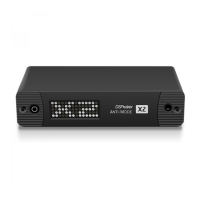
Illustrates and describes the connectors and displays located on the front of the Anti-Mode X2.
Details the various input and output ports available on the rear of the Anti-Mode X2 unit.
Explains the default display of the Anti-Mode X2 interface, showing input and volume levels.
Describes how to navigate and select different audio input sources using the remote control.
Explains the process of increasing or decreasing the audio output volume with the remote control.
Details how to switch the Anti-Mode X2 unit between active and low-power standby modes.
Guides users on adjusting bass, midrange, and treble settings for personalized audio tuning.
Explains how to enter and exit bypass mode, disabling room correction features.
Describes how to adjust the relative subwoofer level, relevant for 2.1 configurations.
Explains how to store and switch between different audio settings and calibration data.
Details how to access and navigate the device's menu for various settings and adjustments.
Provides essential preparation steps before starting the automatic room calibration process.
Outlines the procedure for initiating and completing the room calibration using the microphone.
Provides contact details for VLSI Solution / DSPeaker, including website and email addresses.
Lists all input and output connectors, including analog, digital, and USB audio.
Details typical analog performance metrics such as frequency range, SNR, and THD.
Summarizes key features of the Anti-Mode X2 firmware, like calibration and tone controls.
Provides physical specifications of the unit, including weight and dimensions.
 Ports & interfaces
| analog stereo RCA input | 1 |
|---|---|
| coaxial S/PDIF digital input | 1 |
| optical S/PDIF digital input | 1 |
| USB Audio input | USB Type-C |
| analog stereo RCA output | 1 |
| analog subwoofer RCA output | 1 |
| microphone input | 1 |
| IR receiver for remote control | 1 |
| service USB port | 1 |
 Analog Specifications
| frequency range (analog to analog) | 5Hz to 22kHz |
|---|---|
| analog input maximum voltage | 2.3 Vrms |
| analog input SNR | 100 dB |
| analog input THD | < 0.002 % |
| stereo output maximum voltage | 2.2 Vrms |
| stereo output SNR | 107 dB |
| stereo output THD | < 0.0015 % |
| subwoofer output maximum voltage | 2.3 Vrms |
| subwoofer output SNR | 100 dB |
| subwoofer output THD | < 0.03 % |
 Power
Power| power consumption (active) | 1.5 W |
|---|---|
| power consumption (stand-by) | 0.1 W |
 Weight and Dimensions
| unit weight | 0.3 kg |
|---|---|
| unit width | 126 mm |
| unit depth | 80 mm |
| unit height | 28 mm |

 To Next Page