Need help?
Do you have a question about the DT Research DT136HU and is the answer not in the manual?
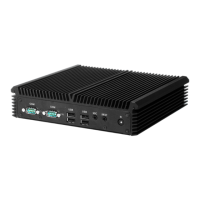
The DT136HU is an embedded controller/system designed by DT Research, offering a compact, robust, and versatile computing solution. It is powered by a high-performance and energy-efficient Intel® Core™ i7 processor, making it suitable for a variety of computing needs, particularly in embedded applications. The system supports major embedded operating systems, including Microsoft® Windows® Embedded Standard 7 or Windows® 7 Pro, providing a flexible platform for diverse software solutions.
The primary function of the DT136HU is to serve as a reliable and efficient embedded controller, capable of handling a wide range of tasks from multimedia applications to general computing. Its design emphasizes high integration and energy efficiency, ensuring optimal performance while minimizing power consumption. The device is built with robust construction, ensuring reliable operation in various environments. It offers expanded graphics capabilities, making it well-suited for applications requiring rich visual content. The DT136HU is designed to be a cost-effective computing solution, packaged in a compact form factor that allows for easy integration into different setups.
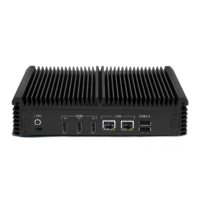
The system's connectivity options are comprehensive, featuring an optimal set of I/O ports while maintaining its compact size. It includes HDMI connectors for display output, supporting multiple screens. Network connectivity is provided through a 10/100/1000 BaseT Ethernet port, ensuring fast and stable internet access. The device is equipped with multiple USB ports (both USB 3.0 and USB 2.0), which are crucial for connecting a wide range of USB-based peripherals. These ports facilitate various functions, including software installation, application storage, data storage, and system software recovery and updates. An audio jack is also included for audio output.
The DT136HU is designed to work seamlessly with custom and off-the-shelf options, enhancing its applicability for various deployments. This includes built-in wireless LAN with an external antenna, providing flexible network connectivity without the need for additional external adapters.
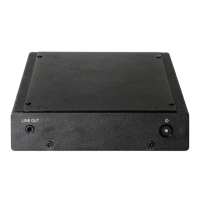
Operating the DT136HU is straightforward, with user-friendly features designed for convenience and efficiency. The device is powered on and off using a dedicated Power Button located on the front bezel. The functionality of this button can be configured based on the operating system's power options. Typically, a simple push and release of the Power Button will turn the device on, indicated by a lit blue power LED and the display interface appearing on the monitor.
For turning off the device, users can either push and release the Power Button or utilize the software shutdown interface provided by the operating system. In situations where the system might lock up, the Power Button can be used to perform a reset by pushing and holding it for at least 4 seconds. This action will force the system to shut down, though any unsaved work may be lost. Pushing the Power Button again after a forced shutdown will restart the device.
The DT136HU supports multiple display configurations through its HDMI ports. It is important to note that if connecting the device to only one screen, users should avoid using the A0 port and instead use either the A1 or A2 port for optimal performance.
The system's storage capabilities are flexible, with configurations ranging from 32GB to 512GB Flash. This internal memory can be used for installed software and user data. Additionally, the USB ports allow for the expansion of storage space through USB-based peripherals like flash disks, offering ample room for various applications and data. The RAM capacity ranges from 4GB to 8GB, providing sufficient memory for smooth multitasking and application performance.
The compact and versatile packaging of the DT136HU makes it easy to integrate into different environments, whether for digital signage, industrial control, or other embedded applications. Its robust construction ensures reliable operation even in demanding conditions.
Maintaining the DT136HU involves adhering to a few simple precautions to ensure its longevity and reliable operation. Users are advised to always exercise care when operating and handling the device to prevent any physical damage.
A critical maintenance guideline is to never disassemble any portion of the enclosure. Disassembling the device will void any product warranty, making it essential to rely on authorized service for any internal issues.
Regarding power supply, it is crucial to use only the AC/DC power adapter provided with the DT136HU or one acquired from the manufacturer or its authorized partners. Using an incompatible power adapter can damage the device and potentially pose safety risks.
In the unlikely event of unusual occurrences such as smoke, abnormal noise, or strange odors emanating from the device, users should immediately power down the DT136HU and disconnect all power sources. Such incidents should be reported to the device provider promptly for professional assessment and resolution.
The DT136HU's robust construction contributes to its low maintenance requirements, designed for reliable operation over extended periods. The system's ability to support software recovery and updates through its USB ports also simplifies maintenance tasks, allowing users to easily reinstall or update the operating system and applications as needed. The external antenna for wireless LAN, if present, is also easily accessible for adjustment or replacement if necessary.
 General
| Operating System | Windows 10 IoT Enterprise |
|---|---|
| Operating Temperature | 0°C to 40°C |
| Touchscreen | Projected Capacitive Touch |
| Wireless | Dual-band 802.11ac Wi-Fi |
| Bluetooth | Bluetooth 4.0 |
| Ports | HDMI, RJ45 |
| Camera | 2MP Front Camera |
| Enclosure | Fanless |
| Weight | 1.5 kg |
| Certifications | CE, FCC |

 To Next Page