24
Step 3:
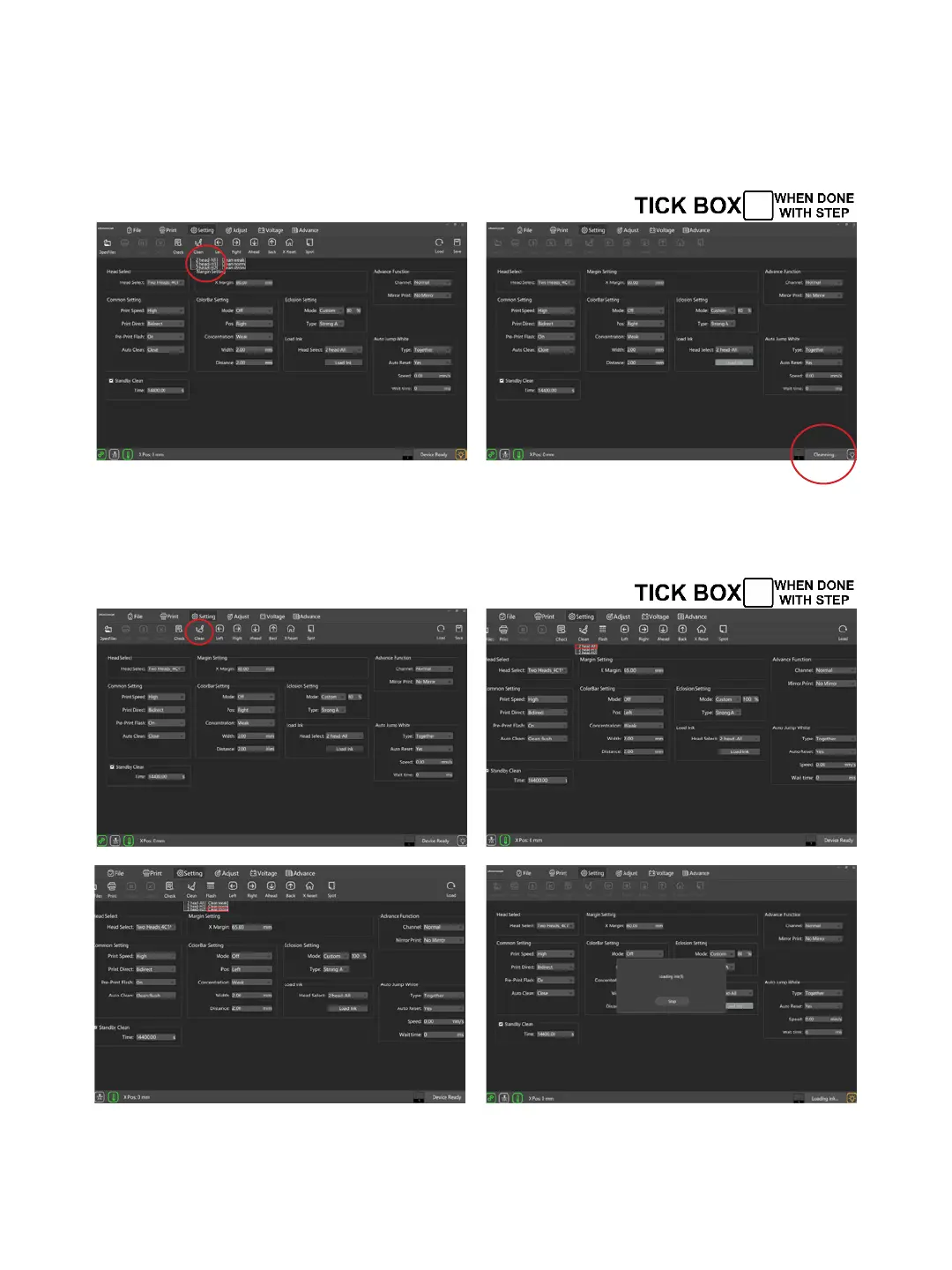
In setting interface, click on Load lnk, choose “2 Head All”. Noted
that the time for loading ink should stay within 30 seconds each
time to prevent excessive pressure to damage the heads. After
2-3 times loading, the ink is ready.
After loading ink, select “Clean”--”2 Head-All”--”Clean Strong”
to clean the heads. When the cleaning is done, perform a nozzle
check to see if the patterns are good.


 To Next Page