THIS
FUNCTION
ALLOWS
TO
SELECT
ONE
OR
MORE
UNIT
OF
THE
ACTIVE
PROGRAM.
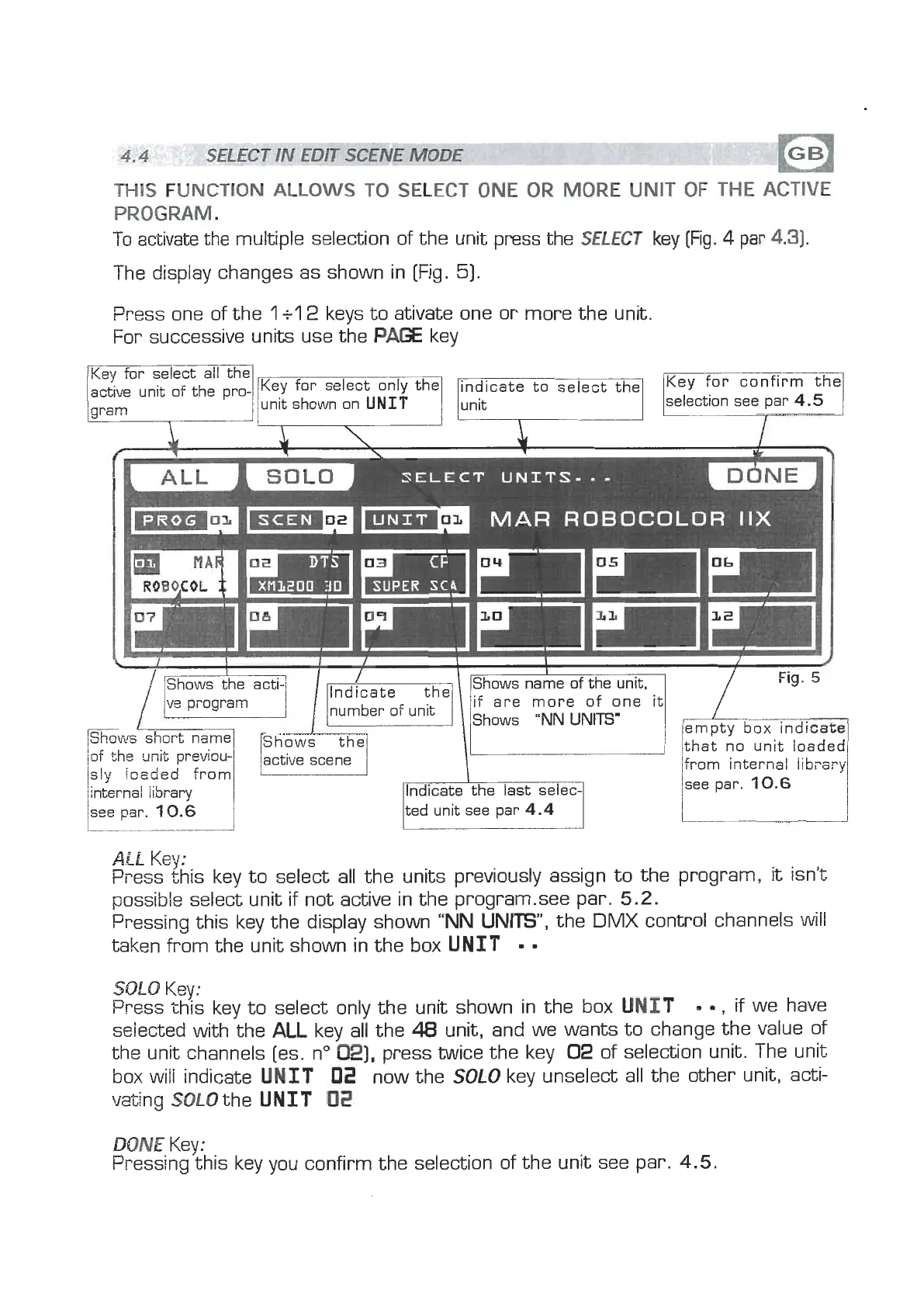
To
activate the multiple selection of the unit press the
SELECT
ke)E
(m.
4
par
4-31.
The display changes as shown in [Fig.
51.
Press one of the
1
+l
2
keys to ativate one or more the unit.
For successive units use the
P=
key
SELECT
UNITS-*-
MAR
ROBOCOLOR
IIX
Shows the
ve
pi-ogram
Shoals
short name
/of the unit previou-
sly
ioaded from
internal library
see par.
10.6
i;
number of unit
lted unit see par
4.4
1
/
Fig.
5
that no unit loaded
from i~ternal
iibi-ery
see par.
10.6
ALL
Key:
Press this key to select all the units previously assign to the program,
it
isn't
possible select unit if not active in the program-see par.
5.2.
Pressing this key the display shown
"NN
UNITS",
the
DMX
control channels will
taken from the unit shown in the box
UNIT
SOL0
Key:
Press this key to select onlv the unit shown in the box
UNIT
,
if we have
selected withthe
ALL
key ail the
48
unit, and we wants to change the value of
the unit channels [es. no
021,
press twice the key
02
of selection unit. The unit
box will indicate
UNIT
02
now the
SOLO
key unselect
all
the other unit, acti-
vating SOLOthe
UNIT
02
DONE
Key:
Pressing this key you confirm the selection of the unit see par.
4.5.


 To Next Page
 Loading...